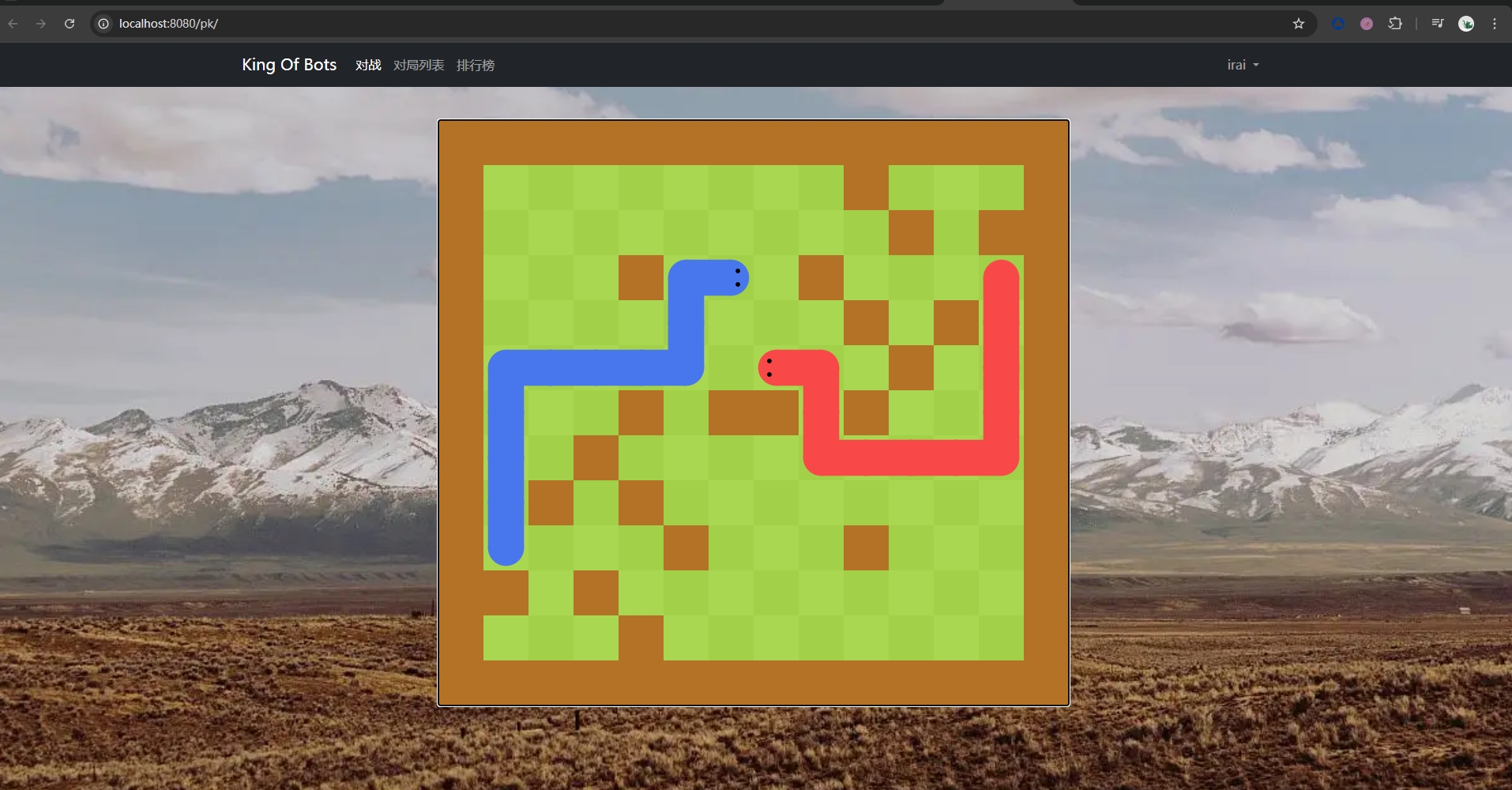
🐍 AcWing SpringBoot - KOB
一、配置 git 与 项目创建
1.1 项目设计
- 名称:
King Of Bots,简称KOB - 图标 ( 二选一 ):


- 项目包含的模块
PK模块:匹配界面(微服务)、实况直播界面(WebSocket协议)- 对局列表模块:对局列表界面、对局录像界面
- 排行榜模块:
Bot排行榜界面 - 用户中心模块:注册界面、登录界面、我的
Bot界面、每个Bot的详情界面
- 前后端分离模式
SpringBoot实现后端Vue3实现Web端和AcApp端
1.2 配置 git 环境
- 安装
Git Bash:https://gitforwindows.org/ - (
执行 cd / cd ~) 进入家目录生成秘钥:执行命令ssh-keygen - 在
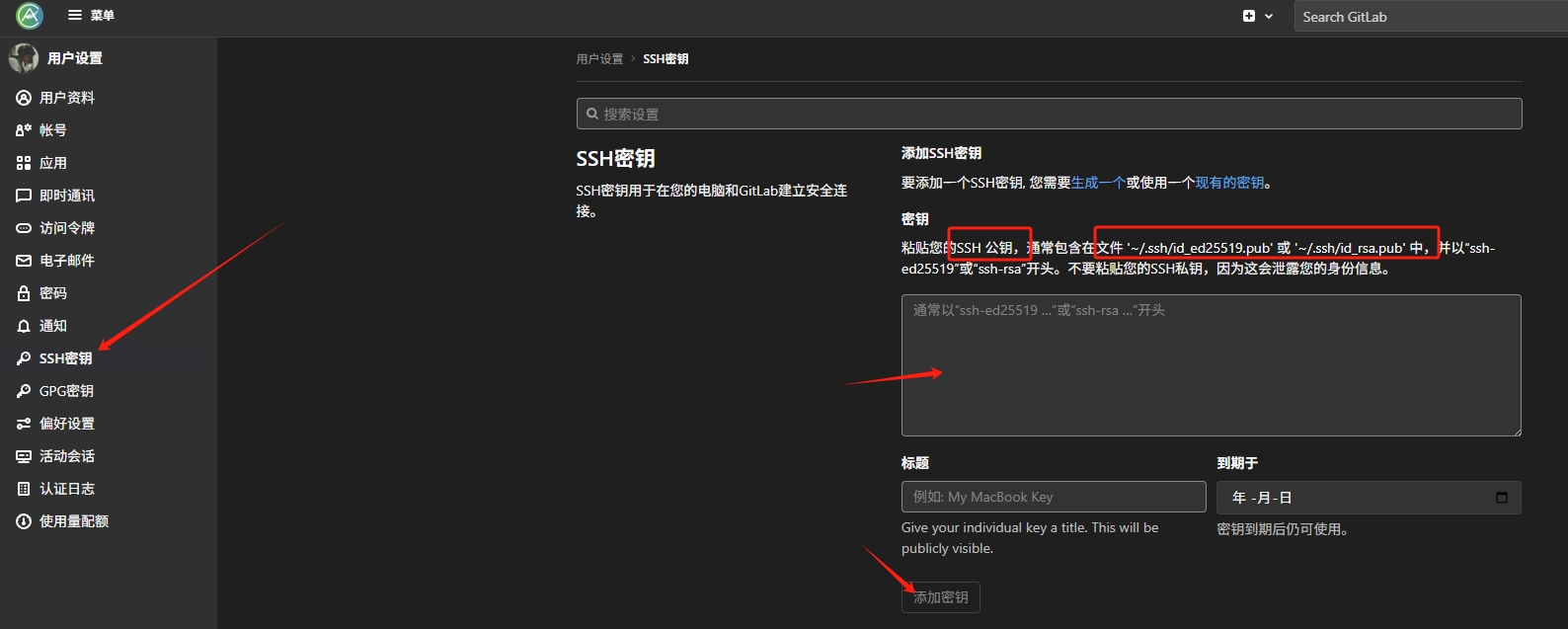
Ac Git上注册账号,地址:https://git.acwing.com/ - 将 公钥 (
id_rsa.pub或id_ed25519.pub) 的内容复制到Ac Git上
1.3 创建项目后端
1.3.1 IDEA 创建项目
- 首选
https://start.spring.io/加载慢的话,可以换成 :https://start.aliyun.com
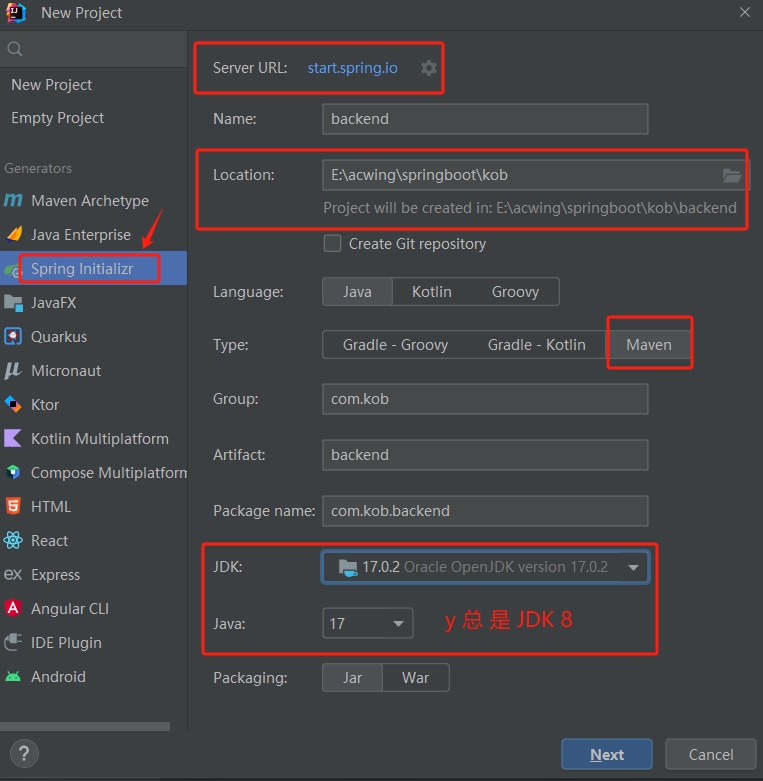
- 勾选
Spring Web:

- 尝试运行项目:
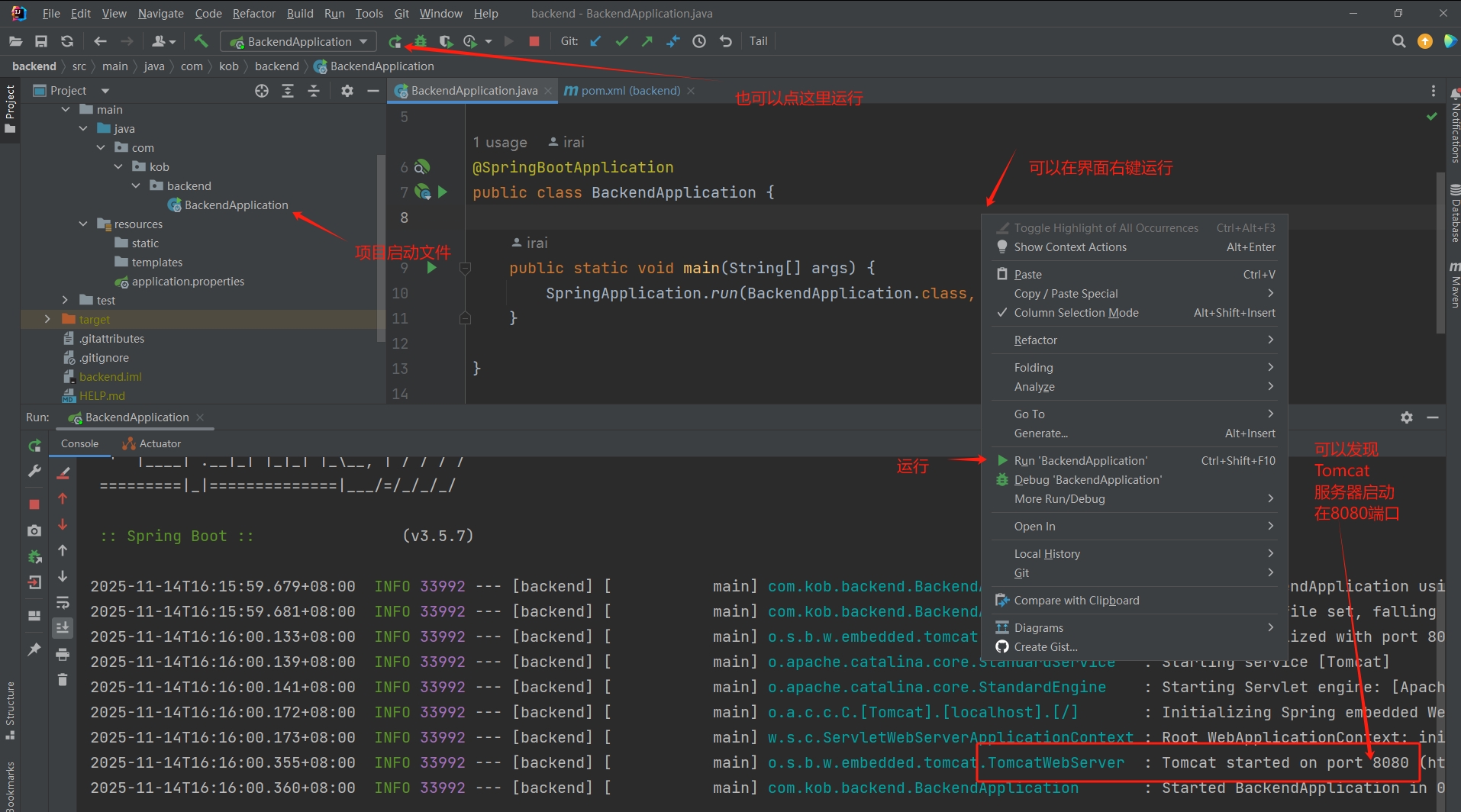
- 浏览器地址栏访问:
localhost:8080
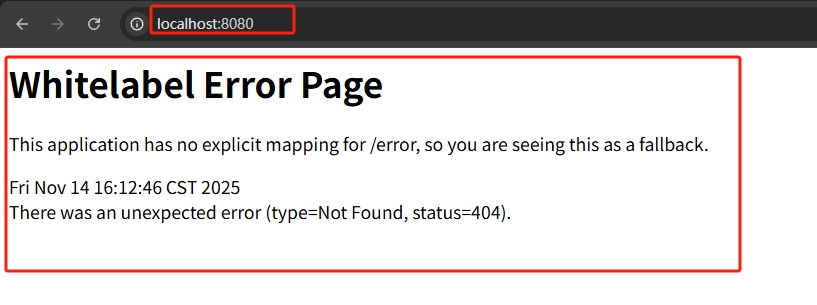
能出现页面就是运行成功了
- 可以在
application.properties修改运行的端口:
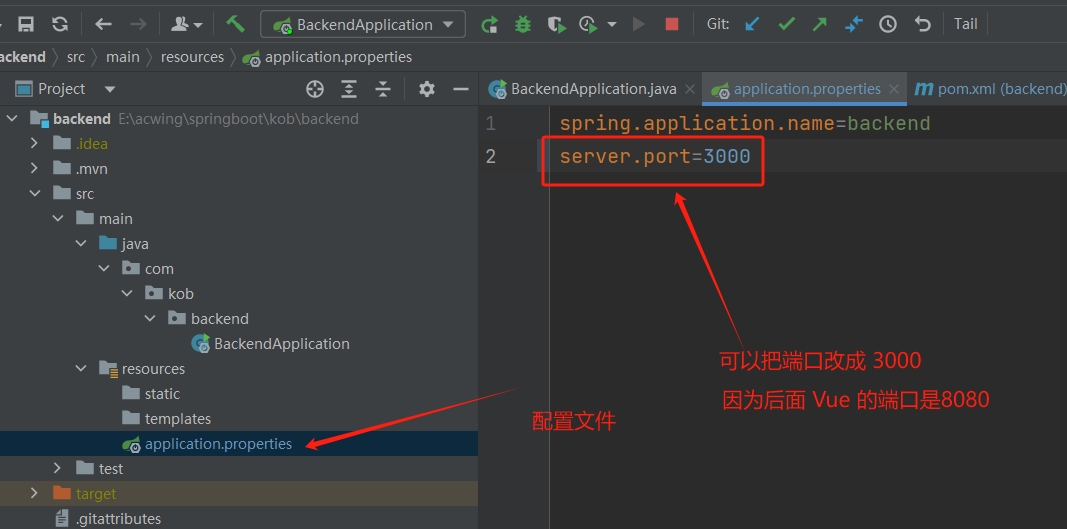
修改后重新运行项目,就可以访问
localhost:3000
1.3.2 尝试写一个接口
- 创建一个软件包
controller, 然后在这个目录下再创建一个controller/pk - 在
pk这个软件包下创建一个类BotInfoController:
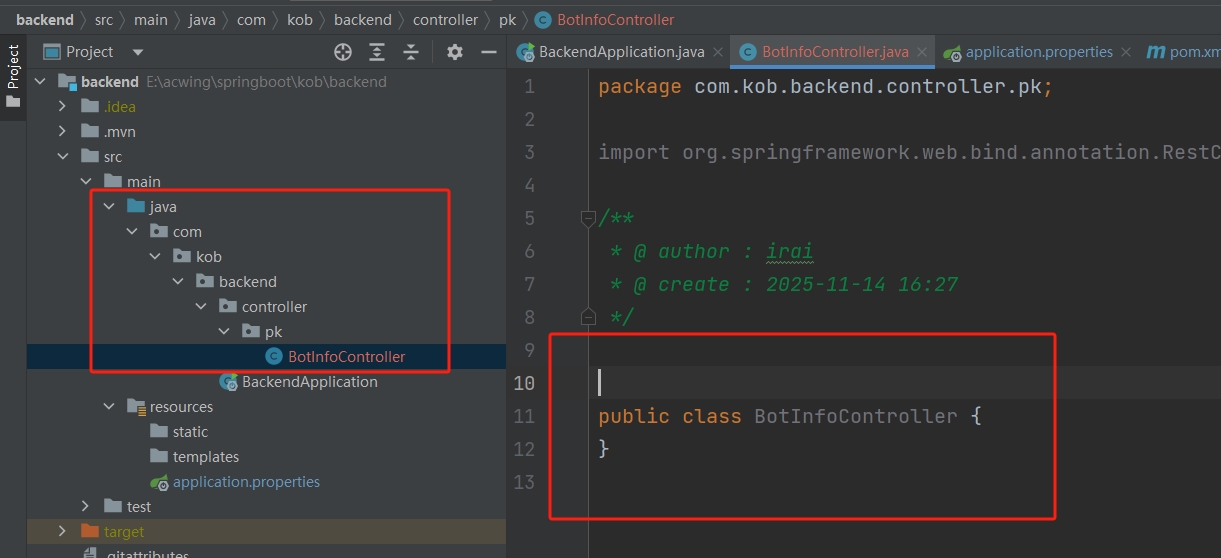
图中报红只是没加入
git不要紧 ~
- 写一段返回
Bot信息的代码:
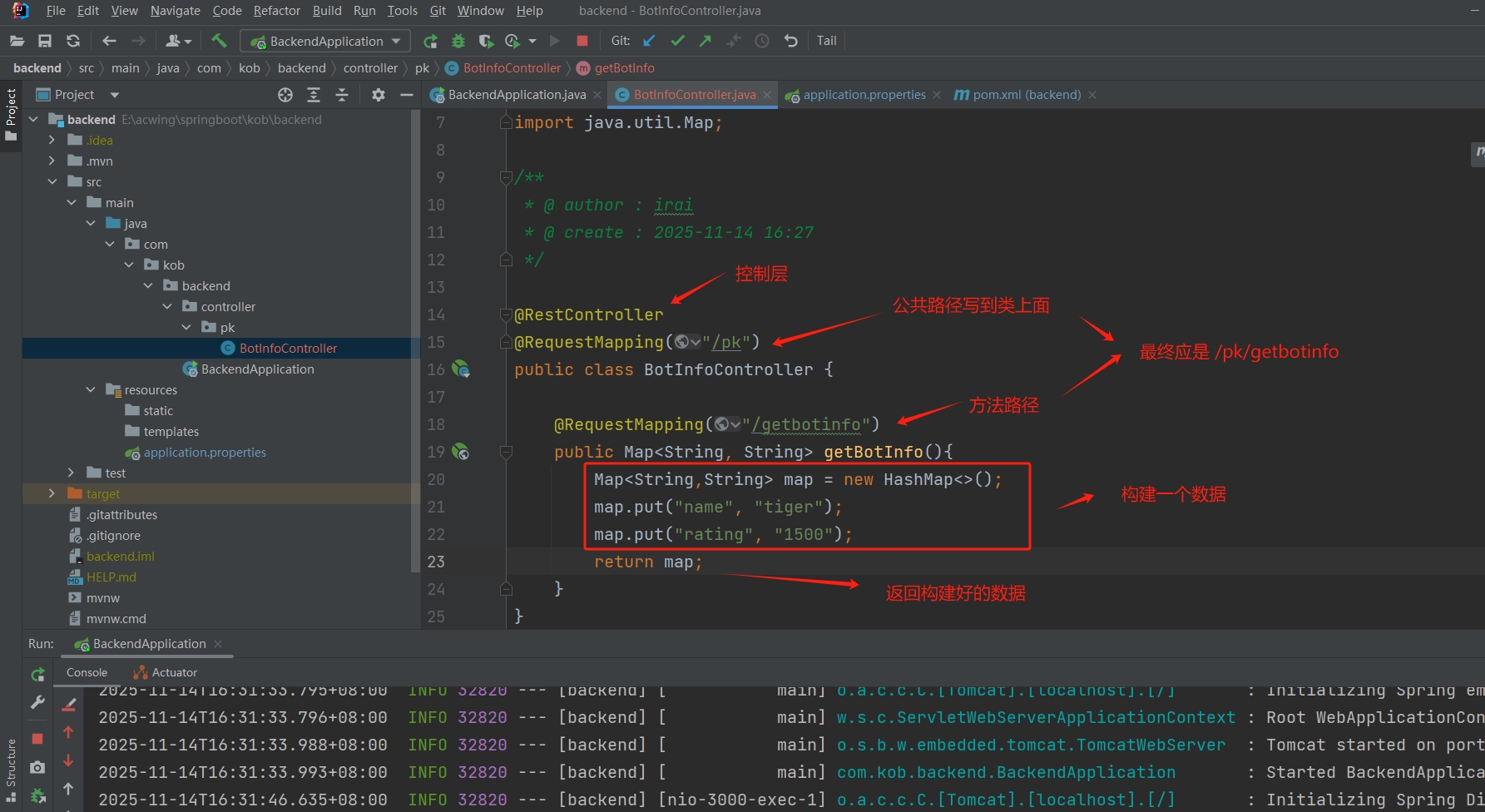
- 重新运行项目,浏览器访问对应路径就可以获取到数据:
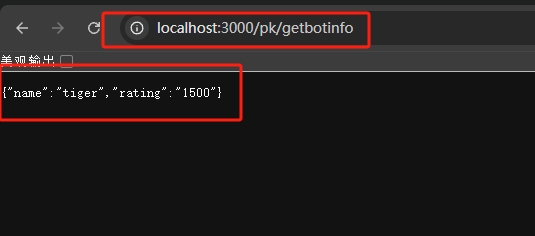
1.4 创建项目Web端和AcApp端
1.4.1 课程资料
vscode下载地址:https://code.visualstudio.com/课程及讲义链接:(需要有课程权限)
讲义 : 6. Vue3 讲义
视频讲解:
1.4.2 准备工作
- 安装
NodeJs: https://nodejs.org/en/ NodeJs安装包:
通过网盘分享的文件:node-v18.20.4-x64.msi
链接: https://pan.baidu.com/s/127Ut5GL8_8eS90y6ui0jUw?pwd=e4iv 提取码: e4ivVue官网 : https://cn.vuejs.org/- 终端:
Windows上推荐用powershell或者cmd。Git Bash有些指令不兼容。
- 安装好
NodeJs打开powershell测试一下:
检查
Node.js版本
node -v检查
npm是否可用 :Node.js安装时会附带npm(Node包管理器 :Node Package Manager),输入:
npm -v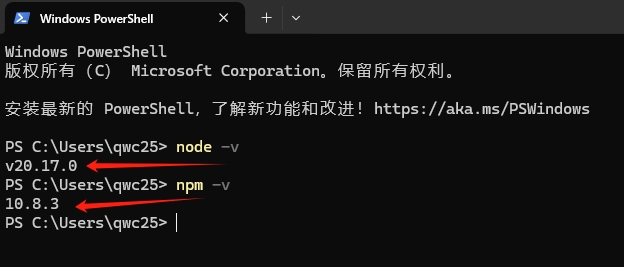
都能返回版本号即安装成功
此外可以配置
npm的全局安装路径:- 后面需要用
npm install安装软件包,这样可以指定安装目录 - 避免占用系统盘空间(全局包可能很多很大)
- 方便管理(比如
Node.js安装在D:\develop\Nodejs,全局包也放在一起)
- 后面需要用
假如说需要指定一个目录
D:\develop\NodeJS(只是例子),那么使用管理员身份运行命令行:
npm config set prefix "D:\develop\NodeJS"- 可以命令行运行以下命令查看有没有配置好:
npm config get prefix- 此外可以随便安装一个工具
nodemon:
npm install -g nodemon- 按照例子的路径:如果在文件管理器找得到
D:\develop\Nodejs\node_modules\nodemon就说明没问题
❗ 注意:
注意:D:\develop\NodeJS 这个目录是 NodeJS 的安装目录 !!!!! 换成自己实际的 !!!
注意:D:\develop\NodeJS 这个目录是 NodeJS 的安装目录 !!!!! 换成自己实际的 !!!
注意:D:\develop\NodeJS 这个目录是 NodeJS 的安装目录 !!!!! 换成自己实际的 !!!
- 切换为淘宝镜像,加速下载:
npm config set registry https://registry.npmmirror.com1.4.3 安装 Vue
- 安装
@Vue/cli - 打开
Git Bash执行 :
npm i -g @vue/cli如果执行后面的操作有
bug,可能是最新版有问题,可以尝试安装早期版本,比如:
npm i -g @vue/cli@4
- 还是可以看看版本号看看有没有安装成功:
vue --versionvue -V运行任意一个都可以,看到版本号就安装成功
- 启动
vue自带的图形化项目管理界面
vue ui- 常见问题1:
Windows上运行vue,提示无法加载文件,表示用户权限不足。 - 解决方案:用管理员身份打开终端,输入
set-ExecutionPolicy RemoteSigned,然后输入y
- 正确运行的话就打开了以下界面:
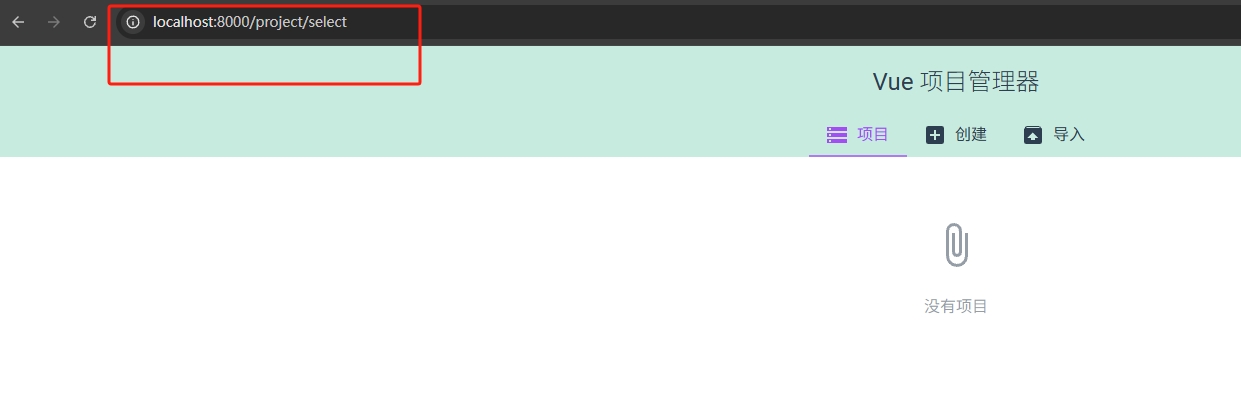
1.4.4 创建web&acapp端
- 创建项目:
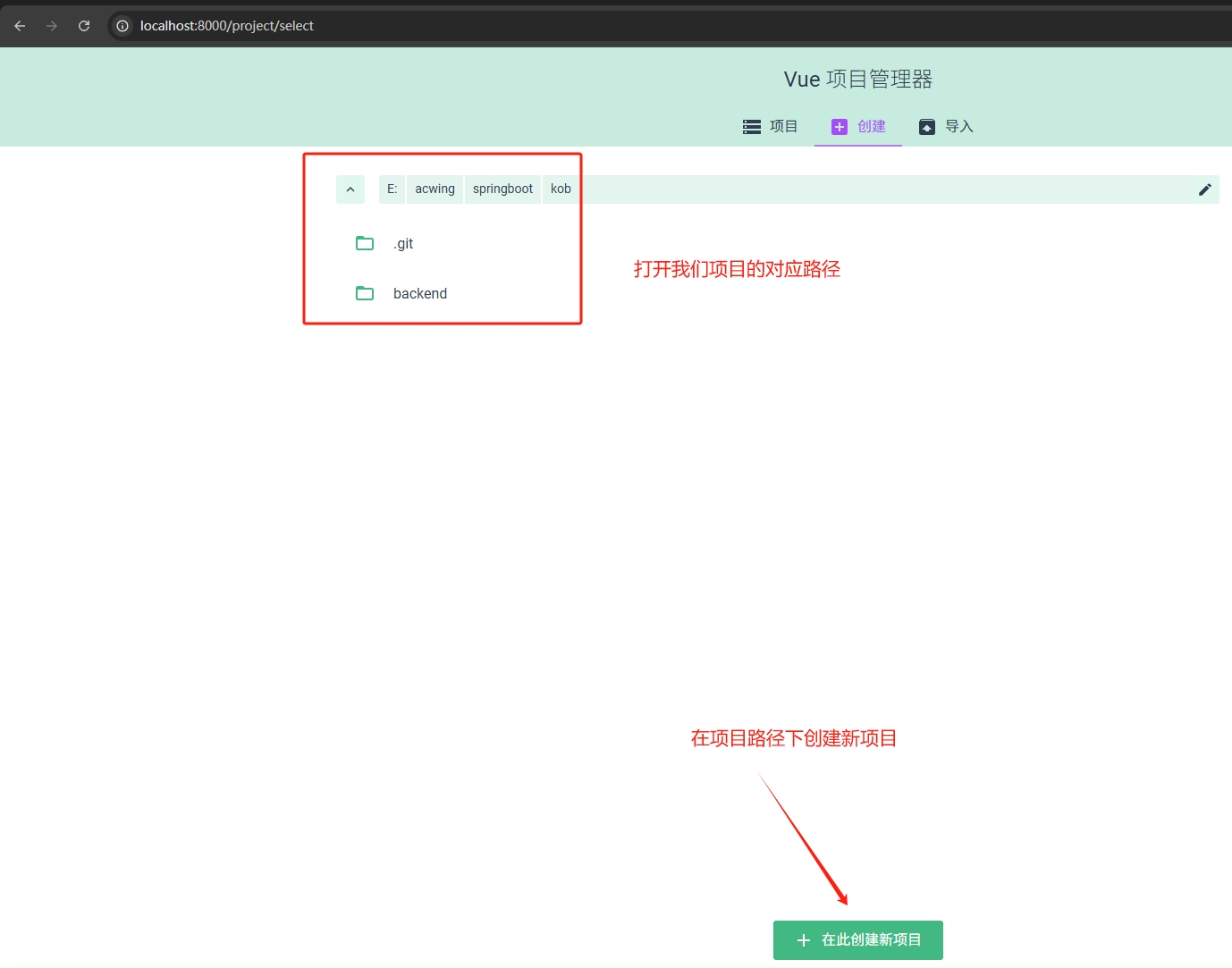
- 创建一个叫
web的项目,取消掉初始化git:

- 选择
vue3:
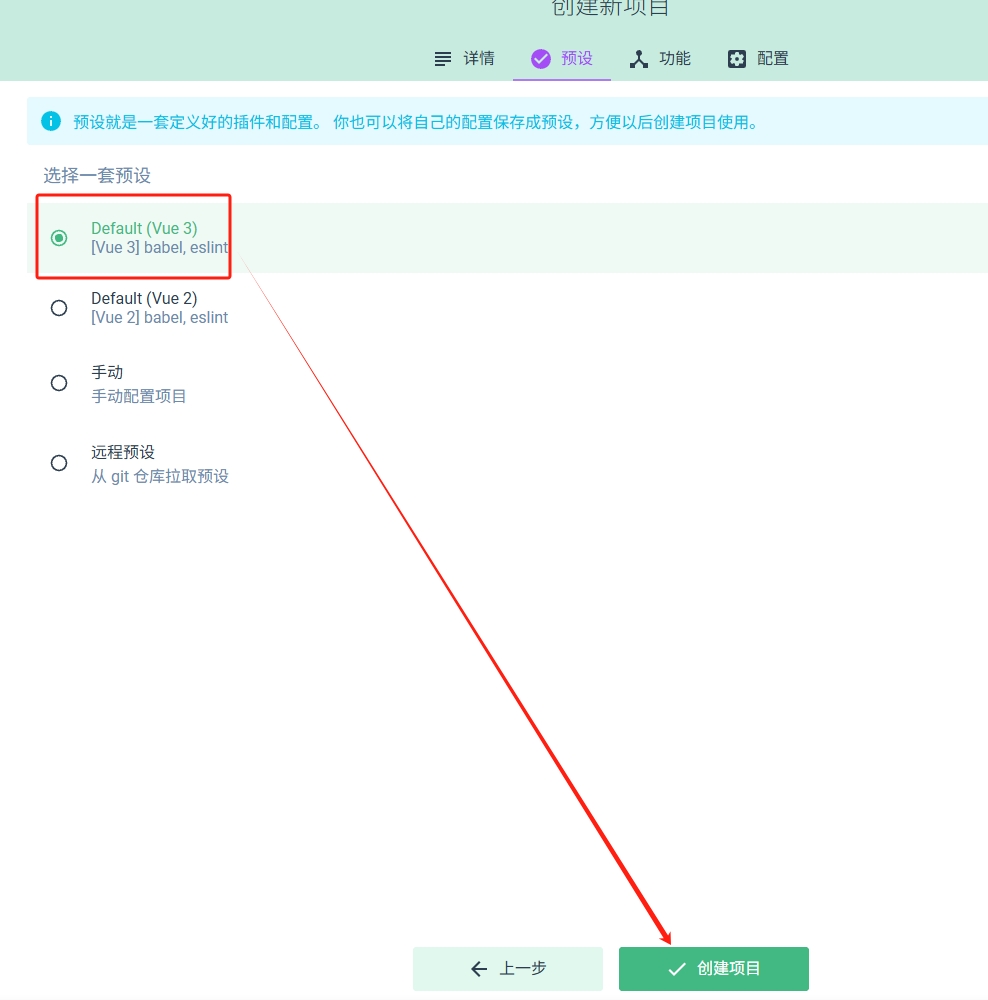
- 添加插件:
vue-router和vuex:
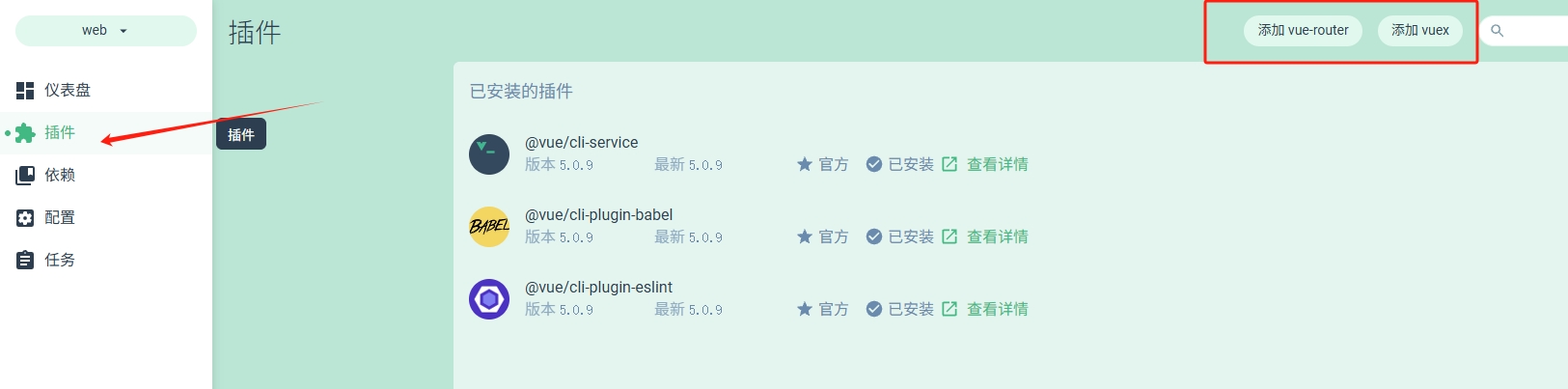
- 安装依赖:
jquery和bootstrap
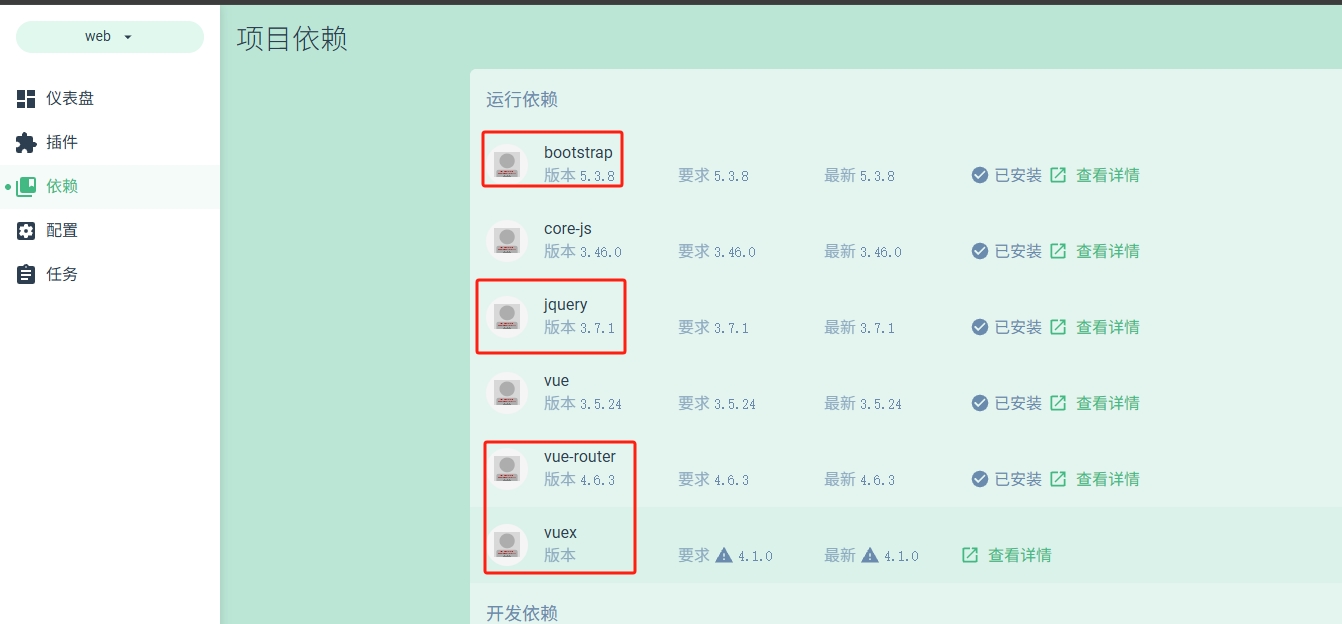
- 都安装完后 :
任务->serve->运行->输出
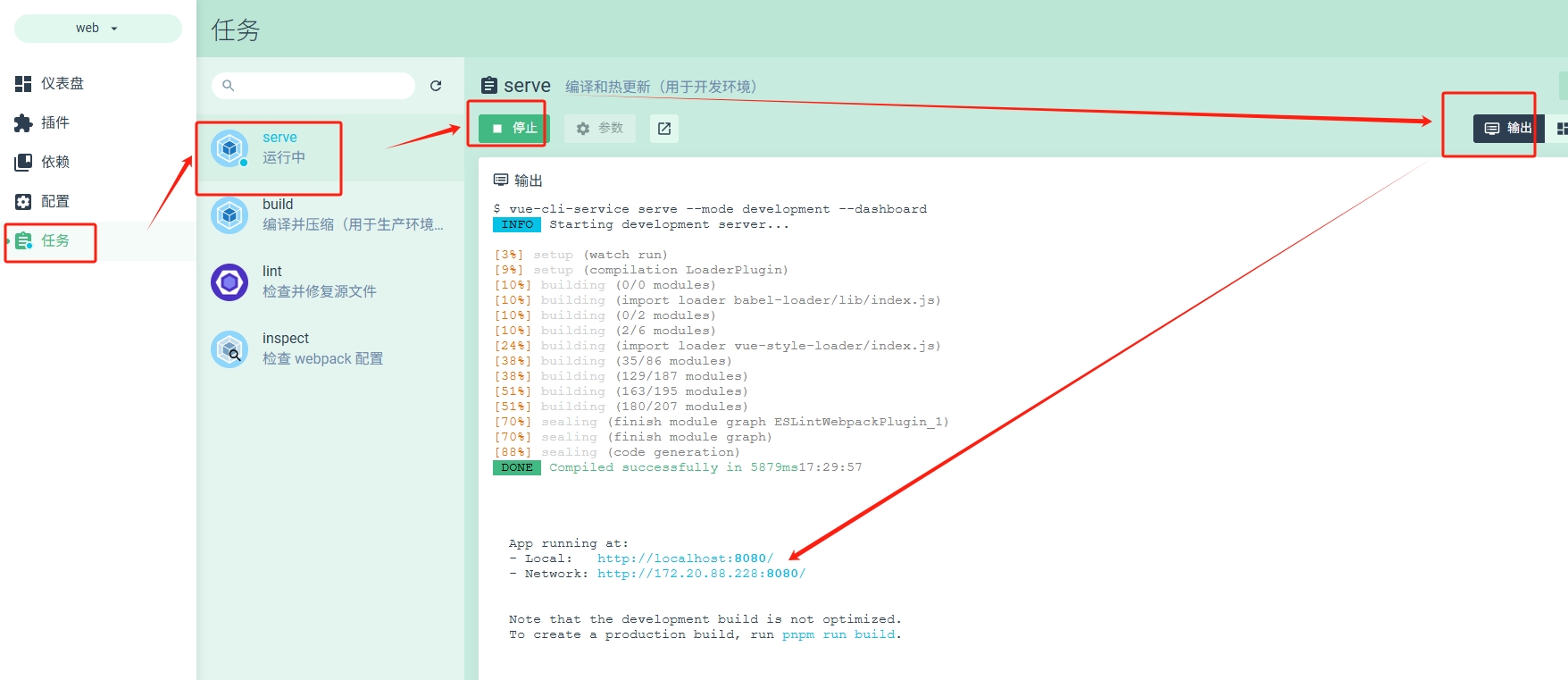
可以发现
Vue项目给我们运行在了localhost:8080
- 点开地址能打开如下页面:
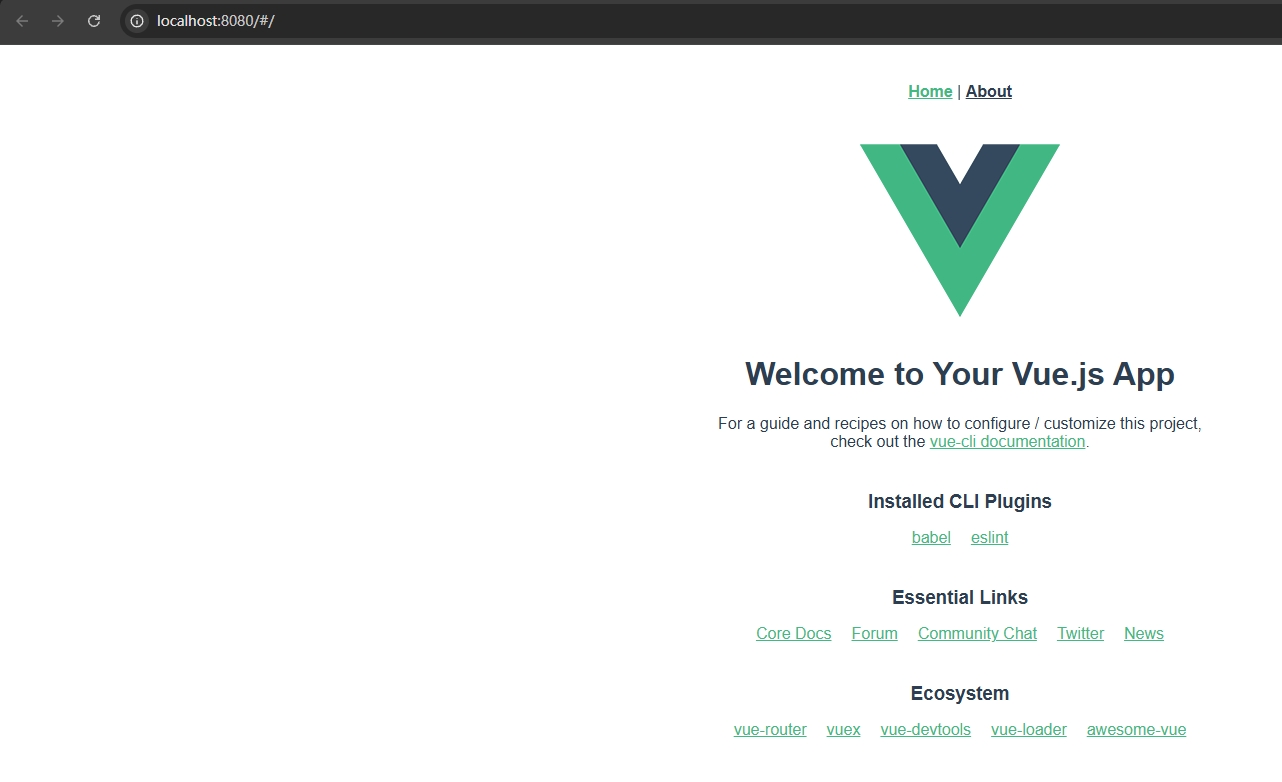
- 同理创建一个
acApp的新项目:
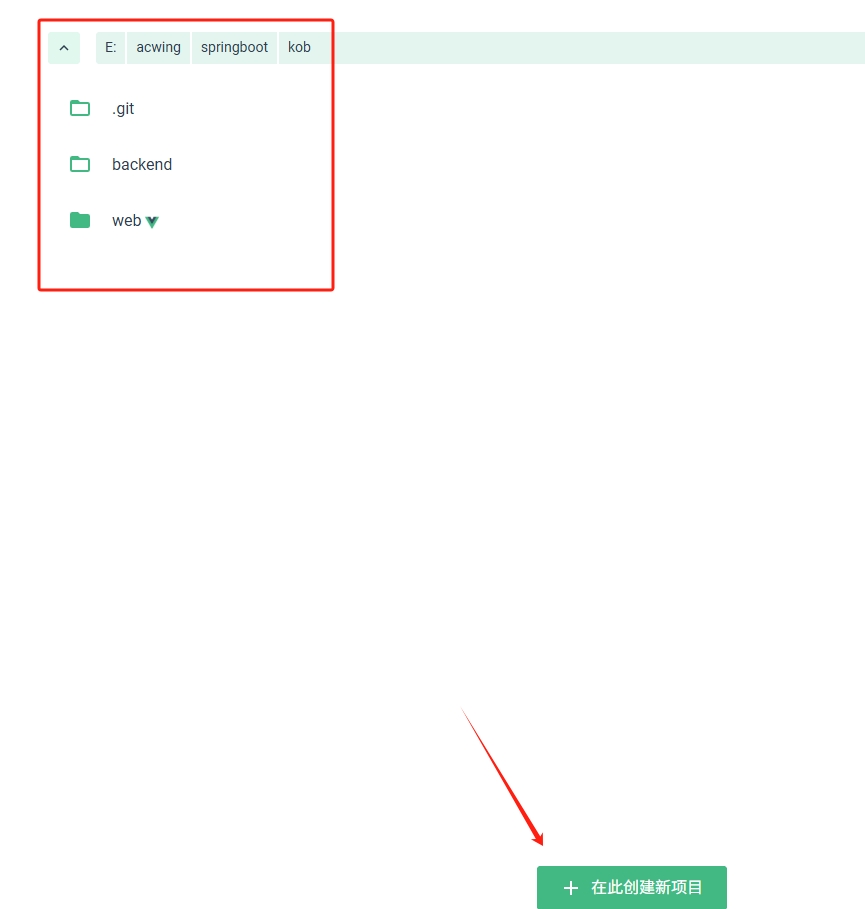
- 名字
acapp, 取消掉git:
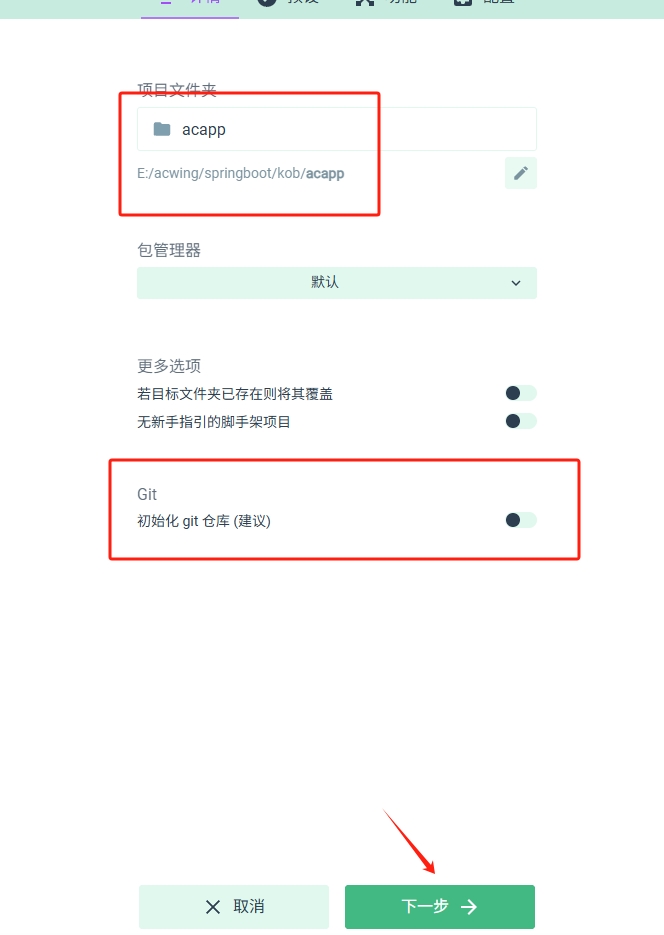
- 创建好项目安装一下
vuex就可以了
- 到此前端项目已经创建好了,可以用
git维护一下 ...
git status
git add .
git commid -m "创建web端和acapp端"
git push1.5 web 端处理
- 之前
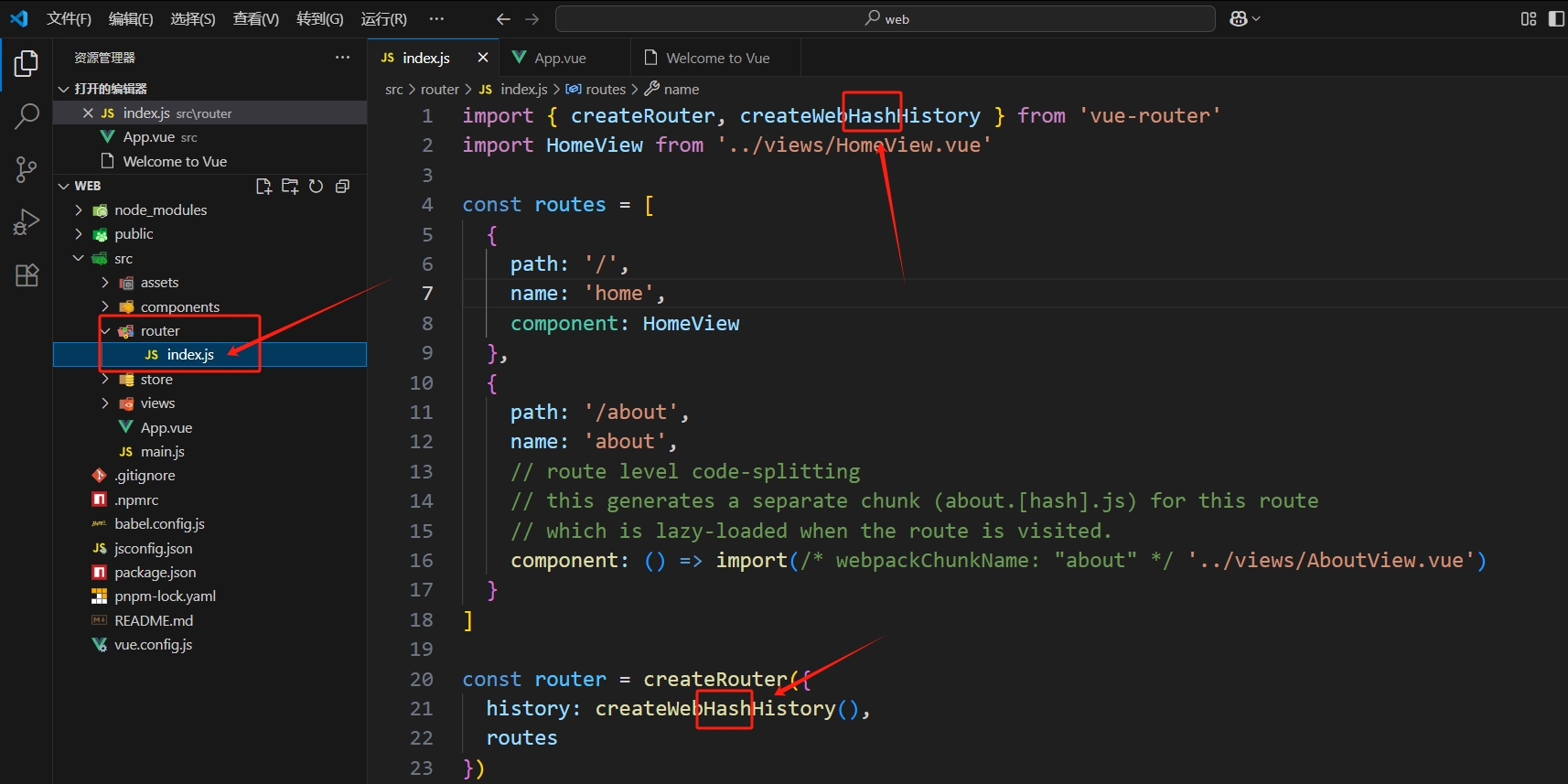
vue运行web端的时候发现路径里有#:
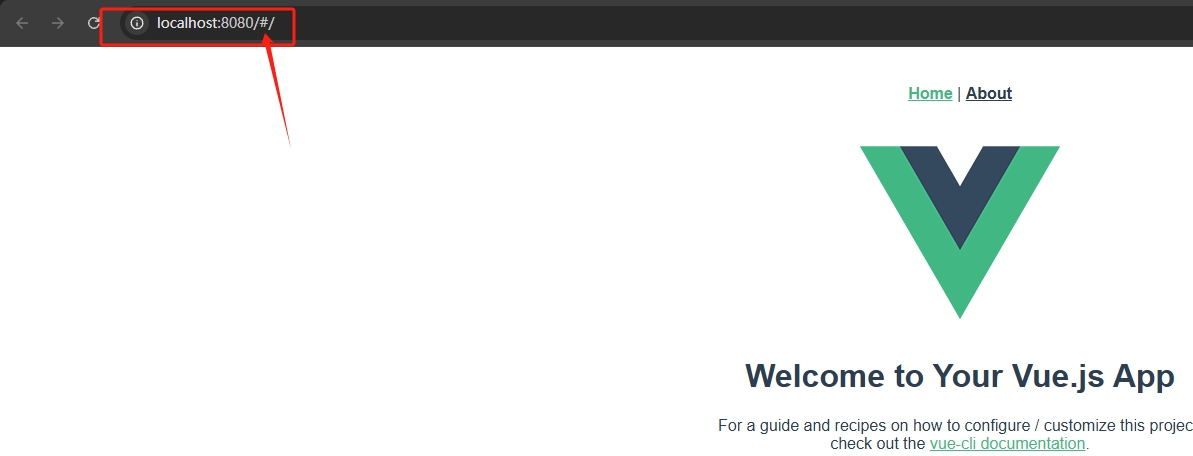
- 可以在代码里把如下两个
Hash删掉:
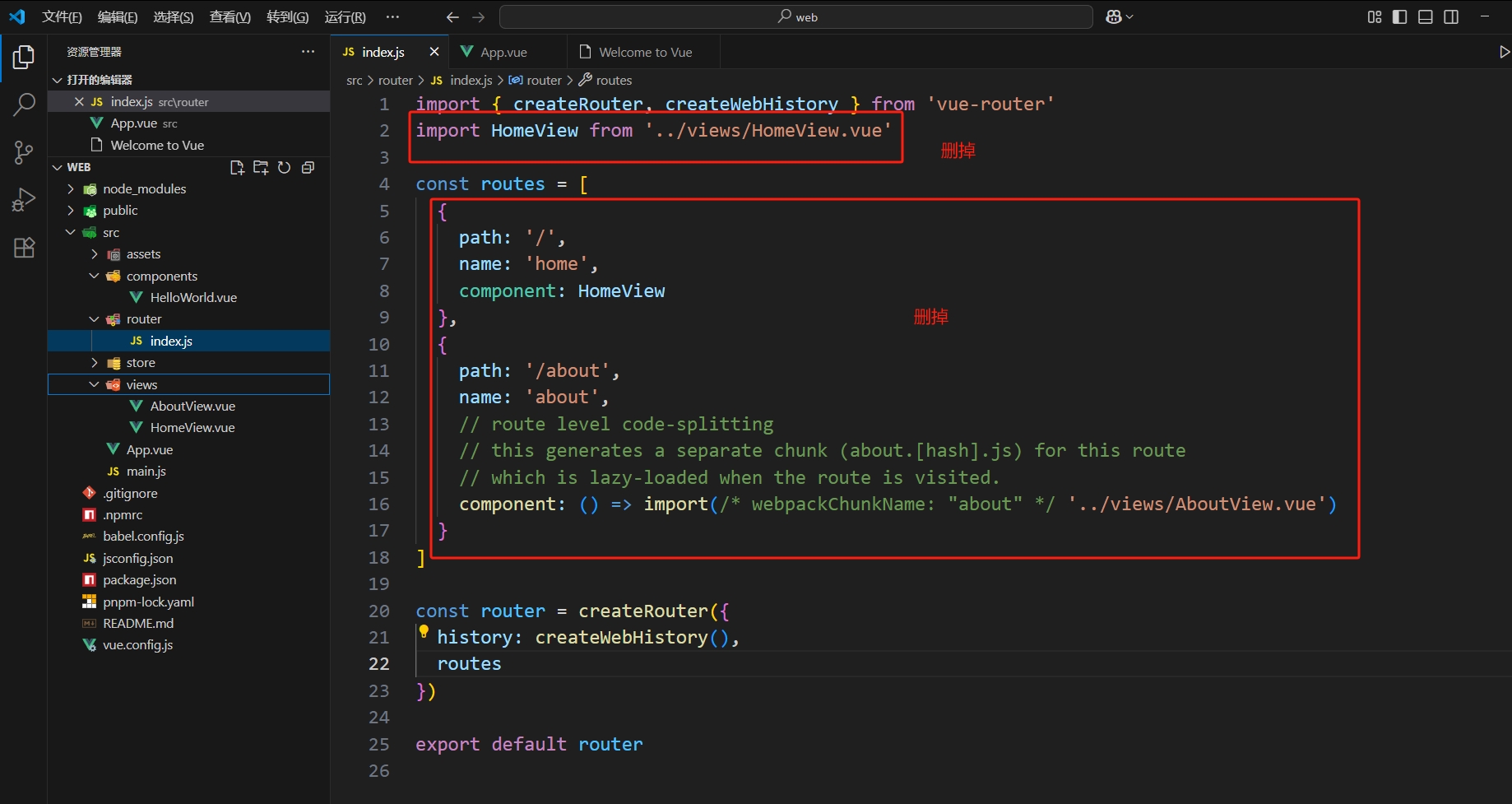
- 再把一些没用的东西删掉 :
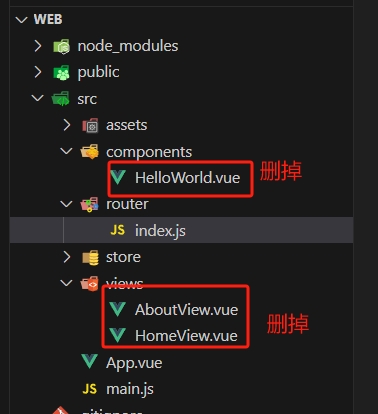
- 没用的文件删掉:
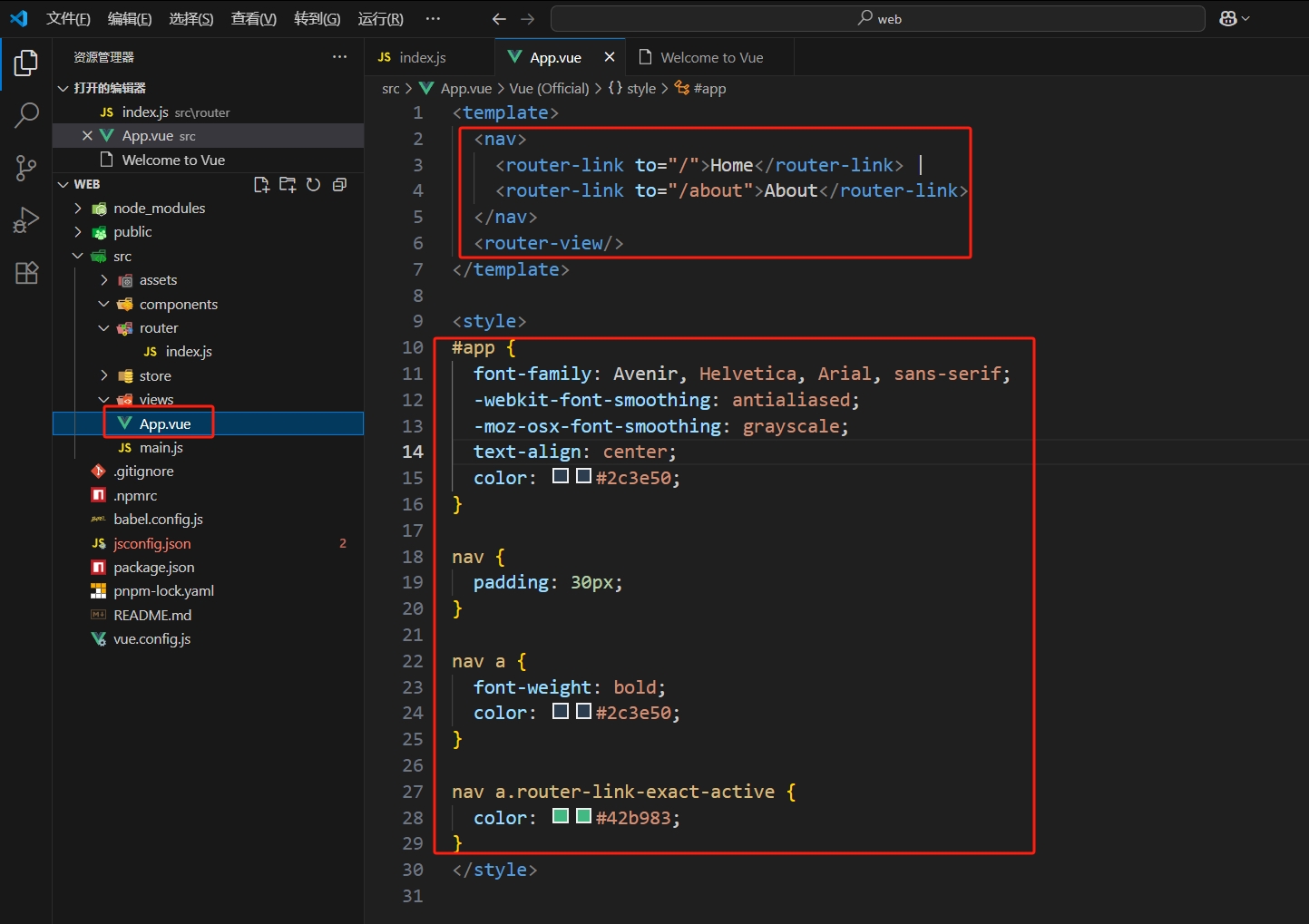
App.vue里面的部分初始代码也可以删掉:
- 删完之后可以输出一个
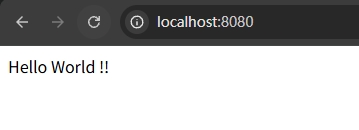
Hello World查看效果:
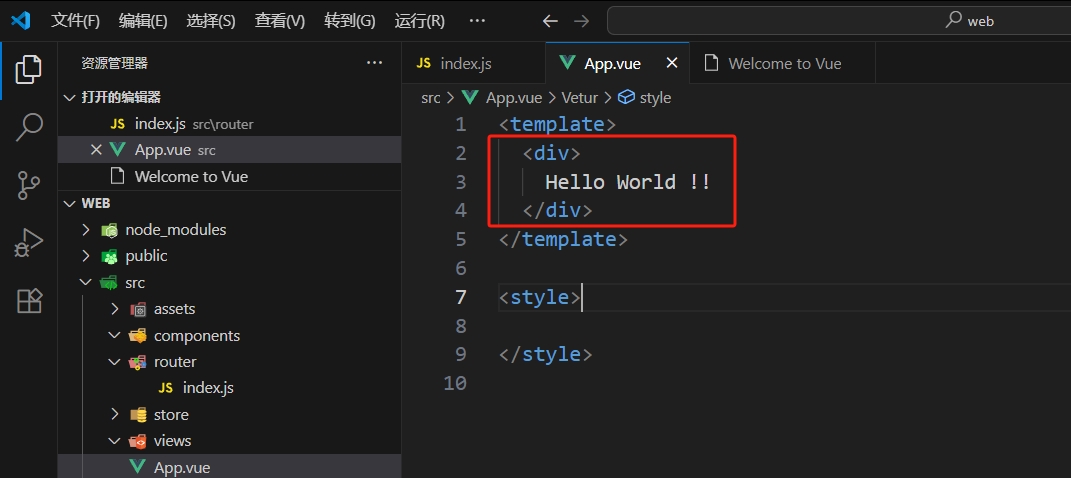
- 效果:
1.6 尝试前后端通信
- 先初始化前端如下:
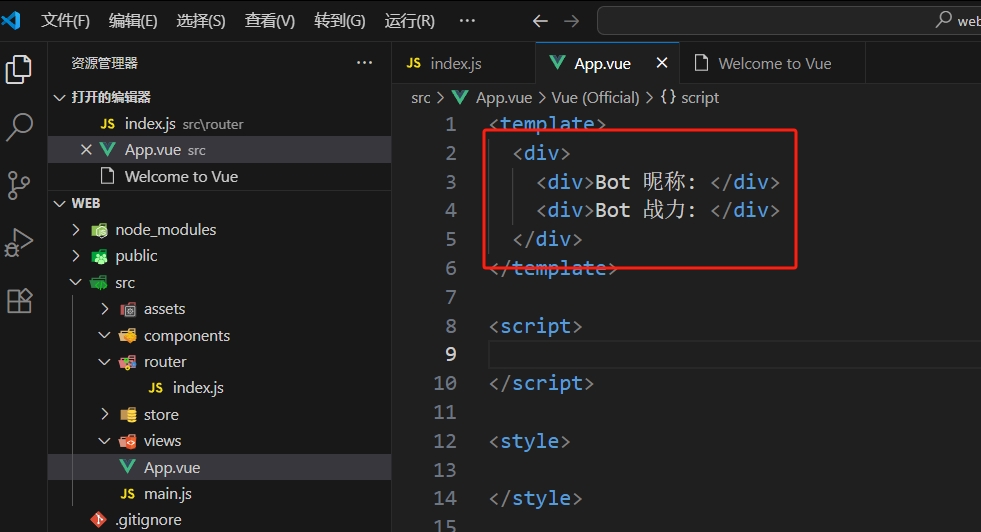
现在我们希望请求之前写的后端接口把这两个数据请求回来
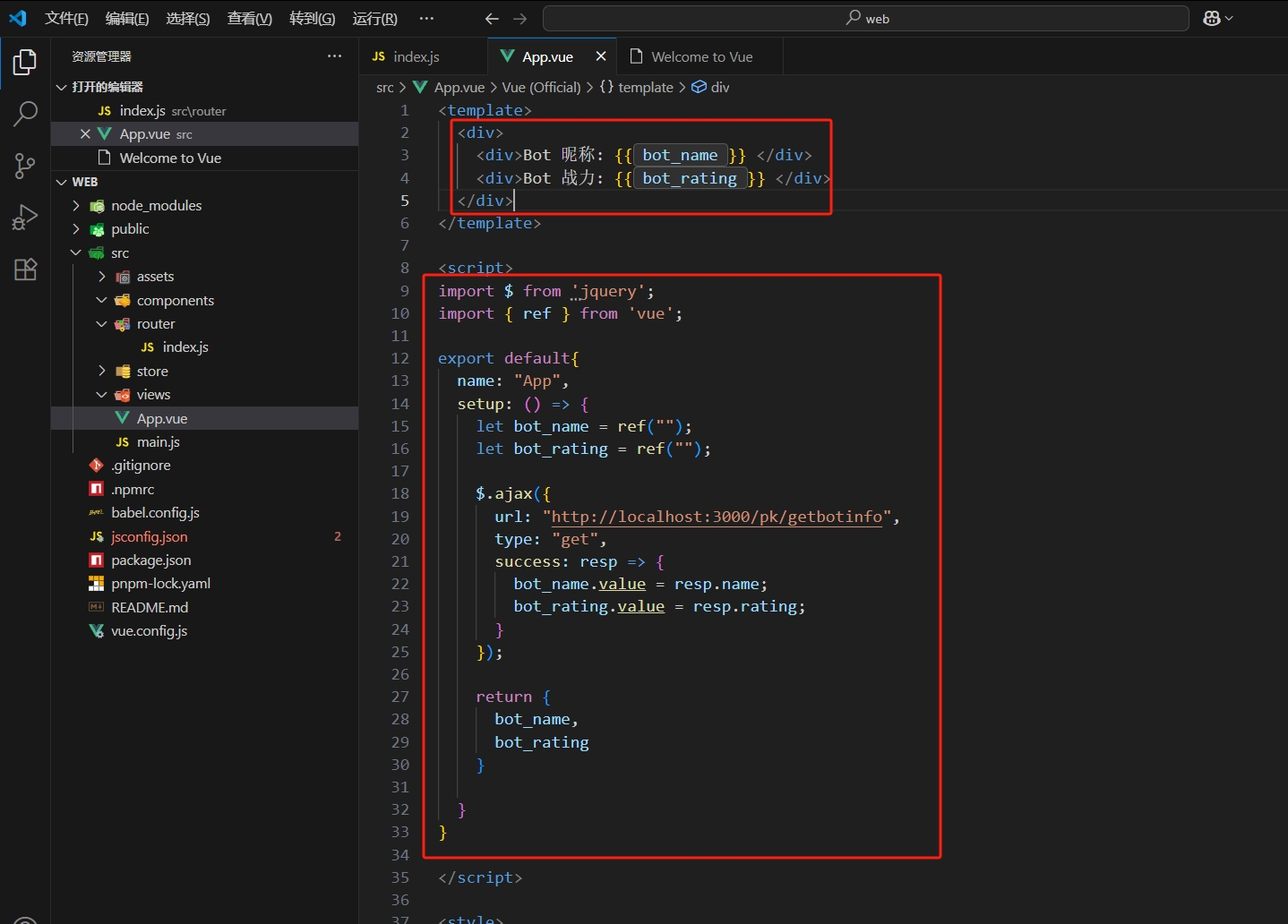
- 使用
jquery调用ajax异步请求后端接口获取数据:
- 如果不出意外的话,我们就出意外了:
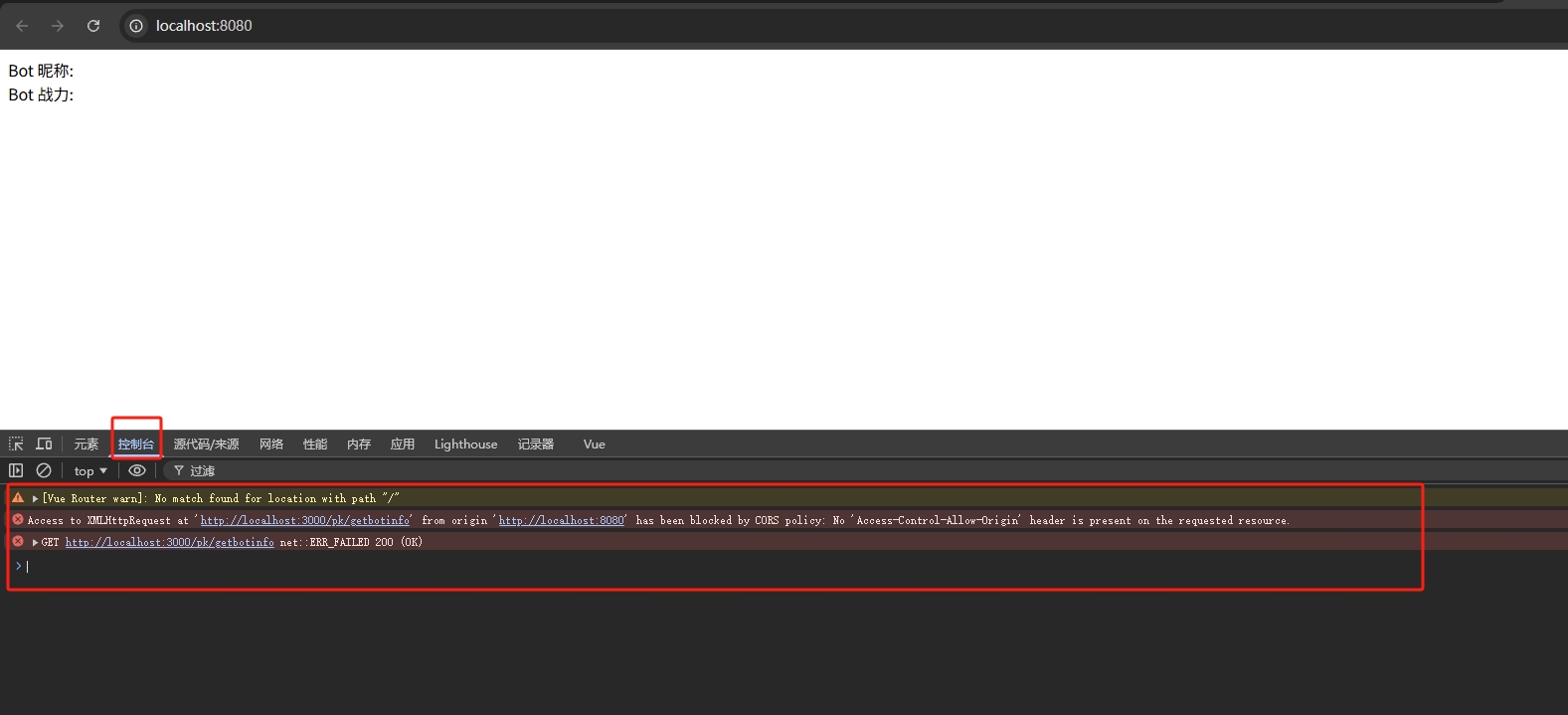
因为我们
vue的端口是8080,springboot端口是3000,出现了跨域问题,所以出现以上报错是意料之中的,先按照
1.7解决好跨域问题解决好后记得重启
springboot, 打开localhost:8080:
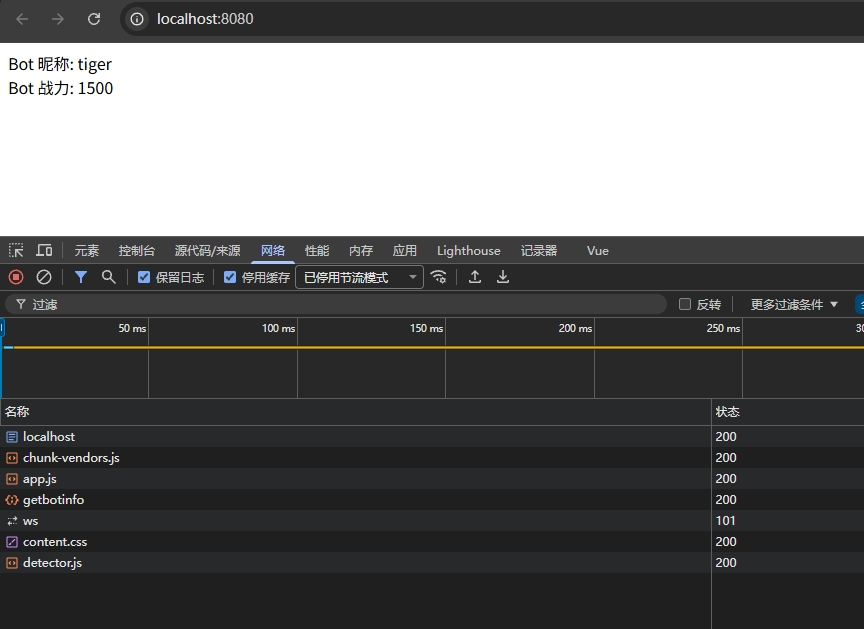
现在就没问题了
- 但是样式有点丑,我们可以加一个背景图:

- 复制到
assets:

- 配置
App.vue的css部分, 也就是style:
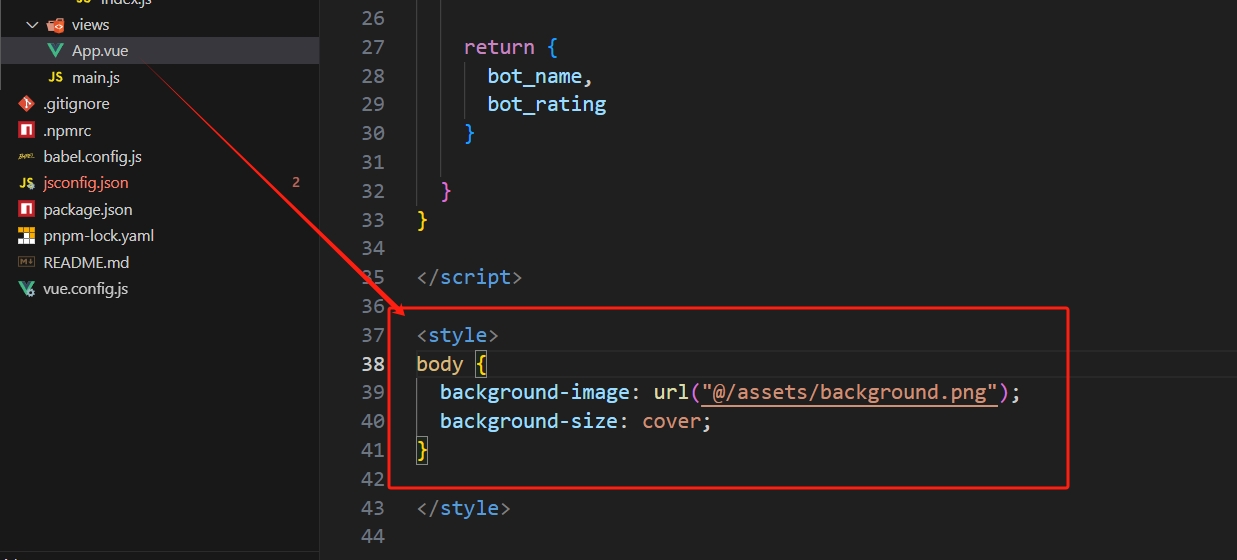
说明:
@符号就是我们的根路径src下
- 效果:

1.7 SpringBoot 跨域问题
创建一个包 :
config在
config下创建配置类:CorsConfig
java 17版本
package com.kob.backend.config;

import jakarta.servlet.*;
import jakarta.servlet.http.HttpServletRequest;
import jakarta.servlet.http.HttpServletResponse;
import org.springframework.context.annotation.Configuration;
import java.io.IOException;

@Configuration
public class CorsConfig implements Filter {
    @Override
    public void doFilter(ServletRequest req, ServletResponse res, FilterChain chain) throws IOException, ServletException {
        HttpServletResponse response = (HttpServletResponse) res;
        HttpServletRequest request = (HttpServletRequest) req;

        String origin = request.getHeader("Origin");
        if(origin!=null) {
            response.setHeader("Access-Control-Allow-Origin", origin);
        }

        String headers = request.getHeader("Access-Control-Request-Headers");
        if(headers!=null) {
            response.setHeader("Access-Control-Allow-Headers", headers);
            response.setHeader("Access-Control-Expose-Headers", headers);
        }

        response.setHeader("Access-Control-Allow-Methods", "*");
        response.setHeader("Access-Control-Max-Age", "3600");
        response.setHeader("Access-Control-Allow-Credentials", "true");

        chain.doFilter(request, response);
    }

    @Override
    public void init(FilterConfig filterConfig) {

    }

    @Override
    public void destroy() {
    }
}y 总
java 8版本
package com.kob.backend.config;

import org.springframework.context.annotation.Configuration;

import javax.servlet.*;
import javax.servlet.http.HttpServletRequest;
import javax.servlet.http.HttpServletResponse;
import java.io.IOException;

@Configuration
public class CorsConfig implements Filter {
    @Override
    public void doFilter(ServletRequest req, ServletResponse res, FilterChain chain) throws IOException, ServletException {
        HttpServletResponse response = (HttpServletResponse) res;
        HttpServletRequest request = (HttpServletRequest) req;

        String origin = request.getHeader("Origin");
        if(origin!=null) {
            response.setHeader("Access-Control-Allow-Origin", origin);
        }

        String headers = request.getHeader("Access-Control-Request-Headers");
        if(headers!=null) {
            response.setHeader("Access-Control-Allow-Headers", headers);
            response.setHeader("Access-Control-Expose-Headers", headers);
        }

        response.setHeader("Access-Control-Allow-Methods", "*");
        response.setHeader("Access-Control-Max-Age", "3600");
        response.setHeader("Access-Control-Allow-Credentials", "true");

        chain.doFilter(request, response);
    }

    @Override
    public void init(FilterConfig filterConfig) {

    }

    @Override
    public void destroy() {
    }
}- 主要就是因为 :
Java 17 已经舍弃 javax.serlet 需要换成 jakarta.servlet - 原理简单说就是 :在响应头加一些配置告诉浏览器后端资源可以允许其他域来访问
二、导航栏
2.1 前言
接下来就是写前端界面的部分,我们一般都是使用一些
UI框架然后加上自己的一些自定义修改Element-plus: https://element-plus.org/zh-CN/Bootstrap:https://v5.bootcss.com/第三方
Bootstrap(中文更全,不过版本可能不会太新,而且有广告):https://bootstrap.sbox.cn/任选一个使用就可以,因为 Y 总是用
Bootstrap那么这个项目就先用Bootstrap
- 首先可以先删除我们第一节创建的示例代码,那些只是尝试一下前后端通信:
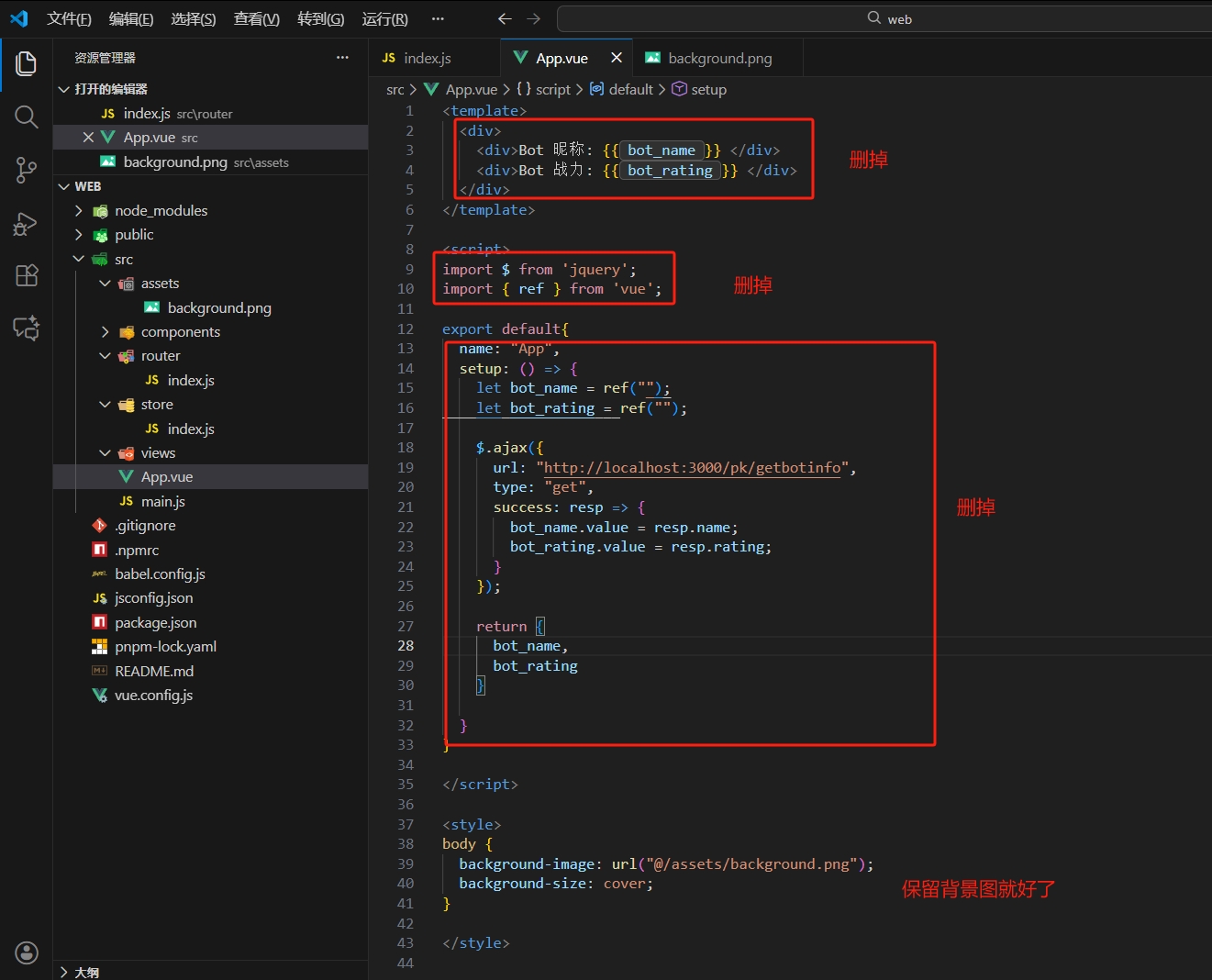
删完后打开
powershell运行vue ui看看项目有没有问题如果说
<template>需要一个 子节点,那么随便加一个<div>先就可以了
2.2 NavBar
头部导航栏:
NarBar我们使用子组件的方式来编写一个导航栏,那么在
components目录下新建NavBar.vue
注意:关于
.vue后缀的文件,我们需要两个单词以上,并且驼峰形式,一个单词不行...
- 然后补充好三个部分出来,记得
<style>部分加上scoped:
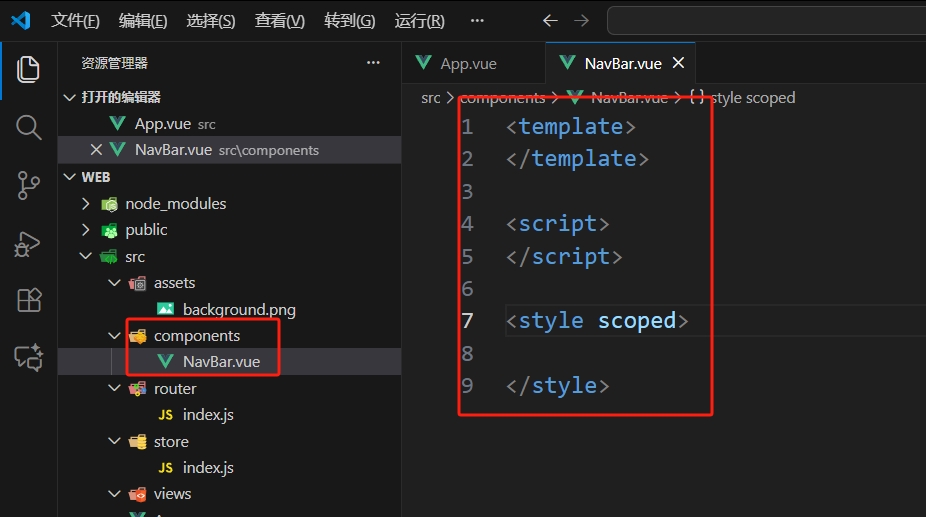
接下来就是在只有背景图的页面填充上我们需要的组件,那么首先导入
Bootstrap,因为我们前面在
vue ui里面已经安装好了Bootstrap的依赖,那么我们只需要import对应的就好,其次,刚刚我们定义的子组件也要在父组件里
import且在export default里面导出给template:
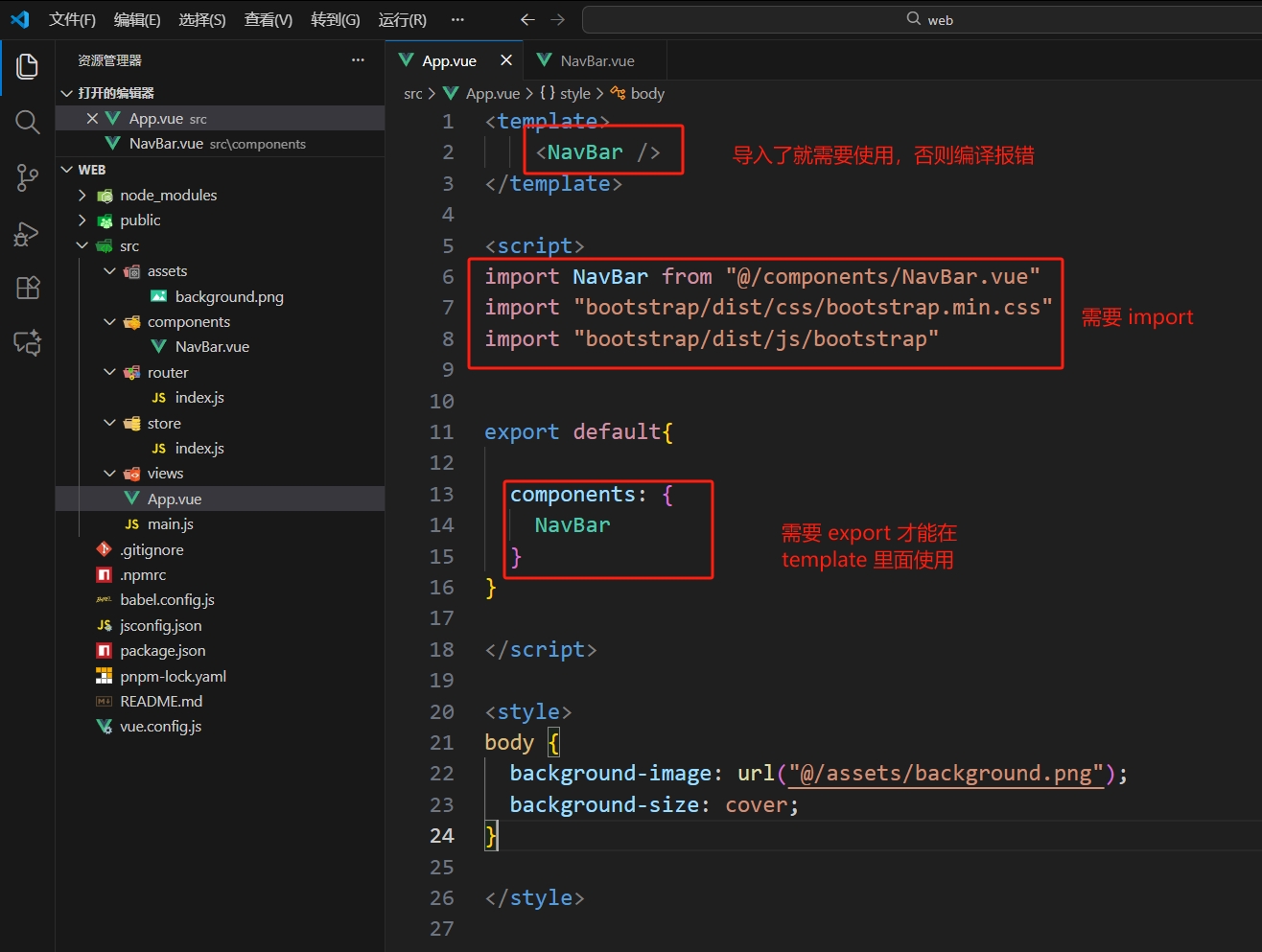
@符号在新版的vue里面指代src目录下,若不能使用@就可以直接写相对路径的形式
- 导入
Bootstrap:
import "bootstrap/dist/css/bootstrap.min.css"
import "bootstrap/dist/js/bootstrap"➡️ App.vue
<template>
    <NavBar />
</template>

<script>
import NavBar from "@/components/NavBar.vue"
import "bootstrap/dist/css/bootstrap.min.css"
import "bootstrap/dist/js/bootstrap"


export default{

  components: {
    NavBar
  }
}
</script>

<style>
body {
  background-image: url("@/assets/background.png");
  background-size: cover;
}
</style>- 然后我们需要用到导航栏的组件,就可以去 Bootstrap 找到合适的进行复制粘贴微调:
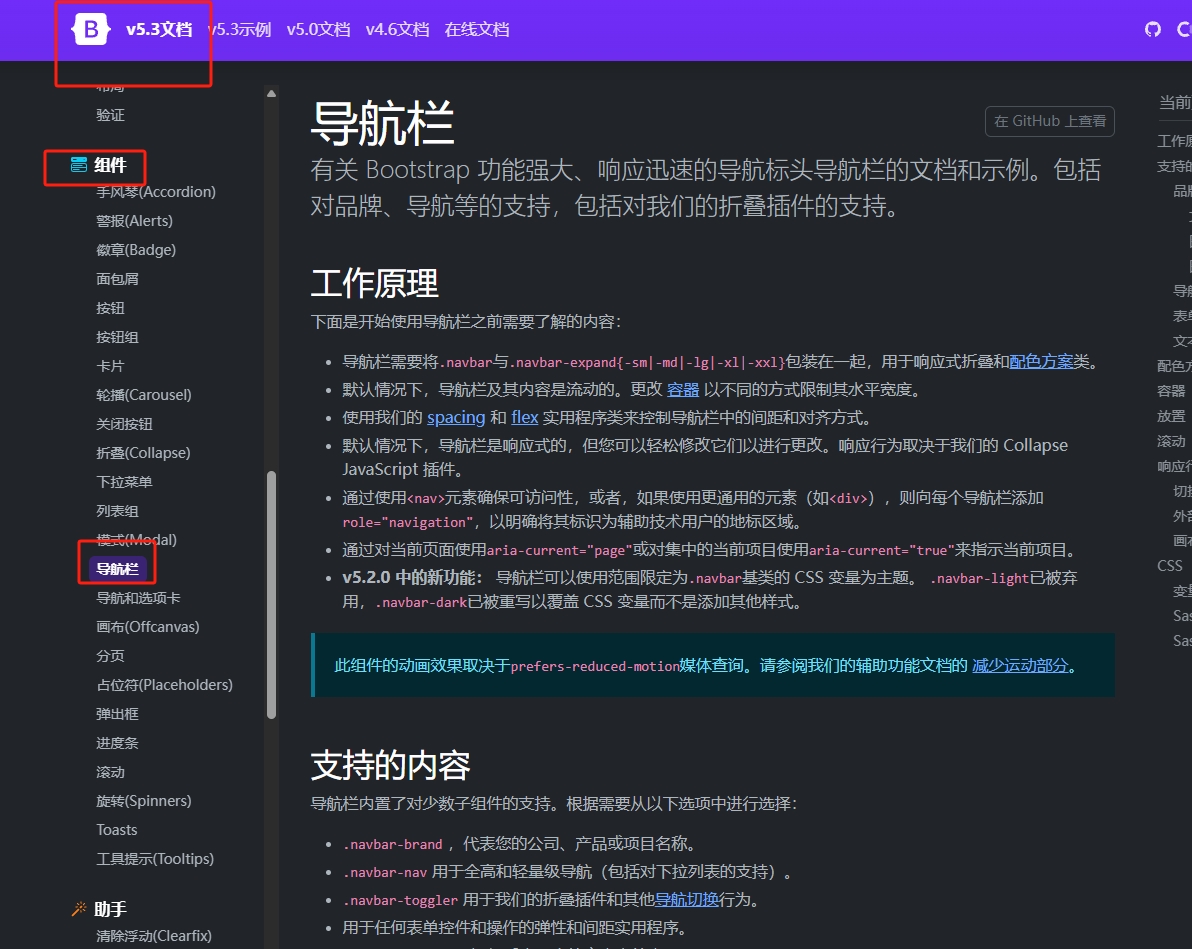
搜索就可以跳转,然后我们直接找合适的示例就可以
- 比如说下面这个示例就可以,我们可以把它的代码复制到
<template>里面然后改成我们要的样子:
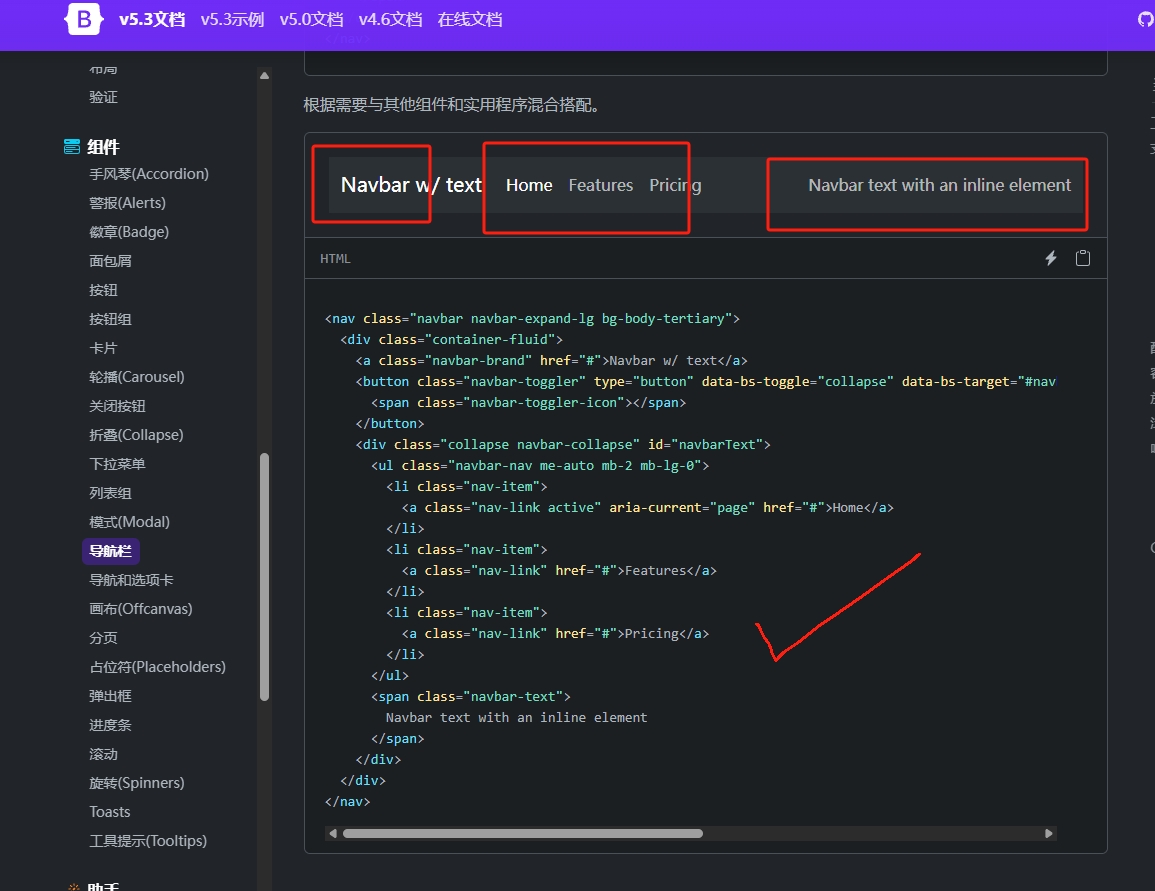
- 下面是 “照抄” 下来的效果:
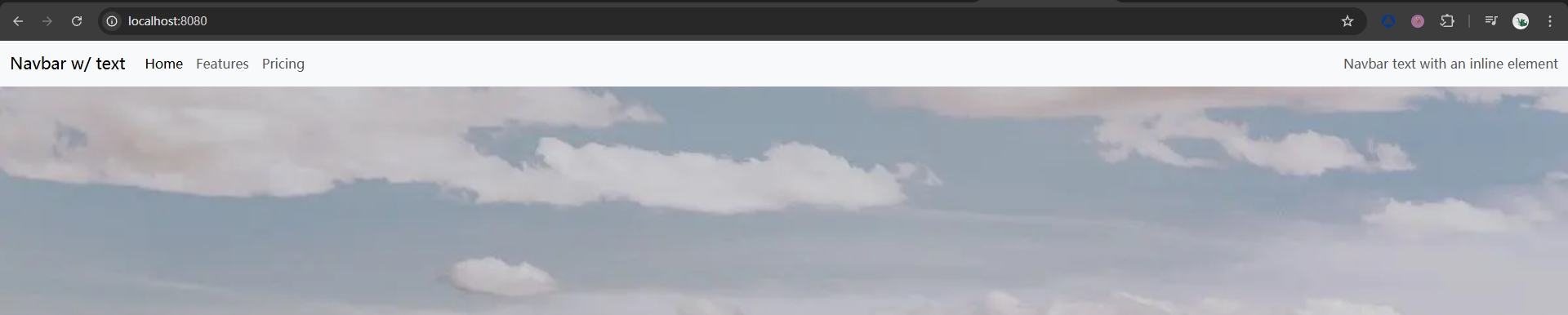
那么自定义部分可以根据文档来进行修改,举一个例子,比如说导航栏的背景色我们不希望是白色的
我们希望是黑色的背景,那么可以发现里面有一个类是关于背景颜色的:
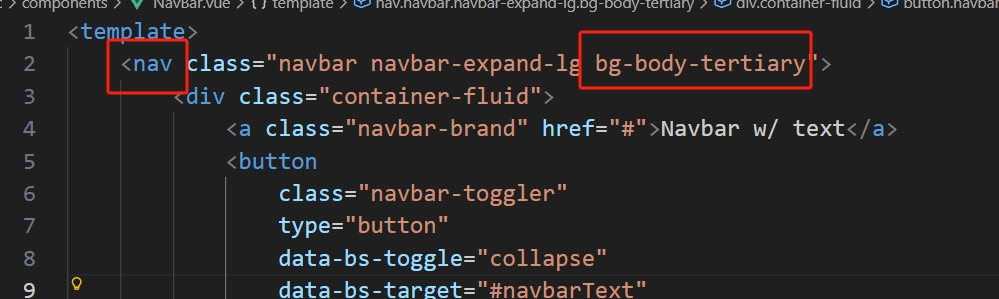
- 那么可以对应到文档中的
导航栏-->配色方案: 配色方案
- 所以我们可以改成
bg-dark, 并且改变字体颜色为白色,这里文档也有相关提示:
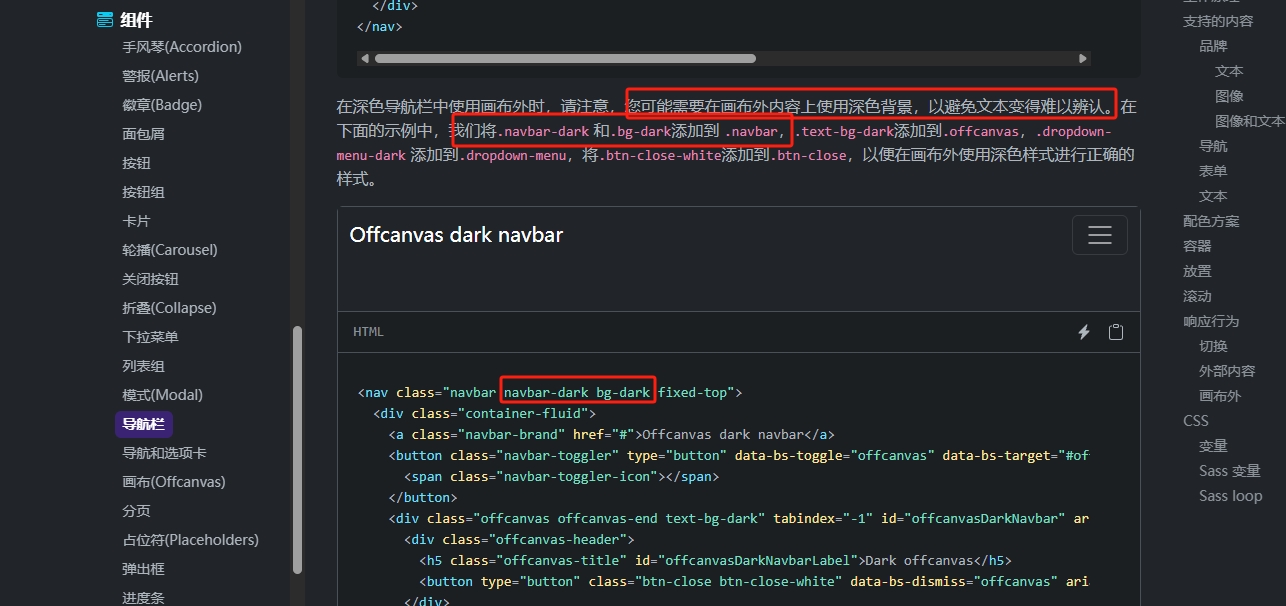
也就是改成
navbar-dark bg-dark这样就好了
- 效果:

- 然后其他就可以自己根据文档自定义修改:

- 同时右边名字部分
irai我们还希望是一个下拉菜单,那么也是到文档对应位置找代码粘贴修改:

- 示例代码:
➡️ NavBar.vue
<template>
    <nav class="navbar navbar-expand-lg navbar-dark bg-dark">
        <div class="container">
            <a class="navbar-brand" href="#">King Of Bots</a>
            <div class="collapse navbar-collapse" id="navbarText">
                <ul class="navbar-nav me-auto mb-2 mb-lg-0">
                    <li class="nav-item">
                        <a class="nav-link" aria-current="page" href="#"
                            >对战</a
                        >
                    </li>
                    <li class="nav-item">
                        <a class="nav-link" href="#">对局列表</a>
                    </li>
                    <li class="nav-item">
                        <a class="nav-link" href="#">排行榜</a>
                    </li>
                </ul>
                <ul class="navbar-nav">
                    <li class="nav-item dropdown">
                        <a
                            class="nav-link dropdown-toggle"
                            href="#"
                            role="button"
                            data-bs-toggle="dropdown"
                            aria-expanded="false"
                        >
                            irai
                        </a>
                        <ul class="dropdown-menu">
                            <li>
                                <a class="dropdown-item" href="#">我的 Bots</a>
                            </li>

                            <li><hr class="dropdown-divider" /></li>
                            <li>
                                <a class="dropdown-item" href="#">退出</a>
                            </li>
                        </ul>
                    </li>
                </ul>
            </div>
        </div>
    </nav>
</template>

<script></script>

<style scoped></style>三、页面 & 路由配置
3.1 创建页面
导航栏前面已经有大致的样子,那么我们还需要写对应的页面才能跳转吧,
那么首先在
views创建目录和文件:
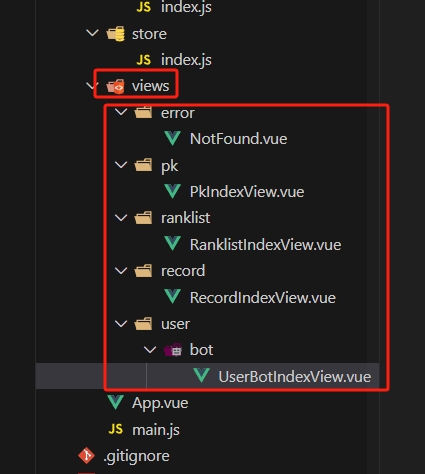
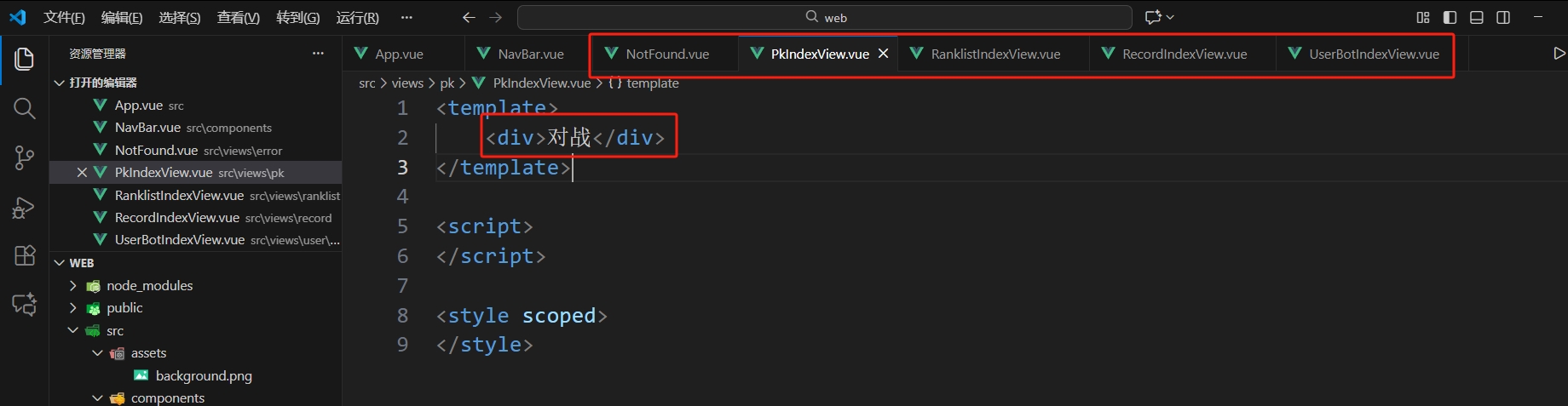
- 接着每个
.vue写上三个部分,然后可以在template先写上文字来区分页面:
3.2 路由
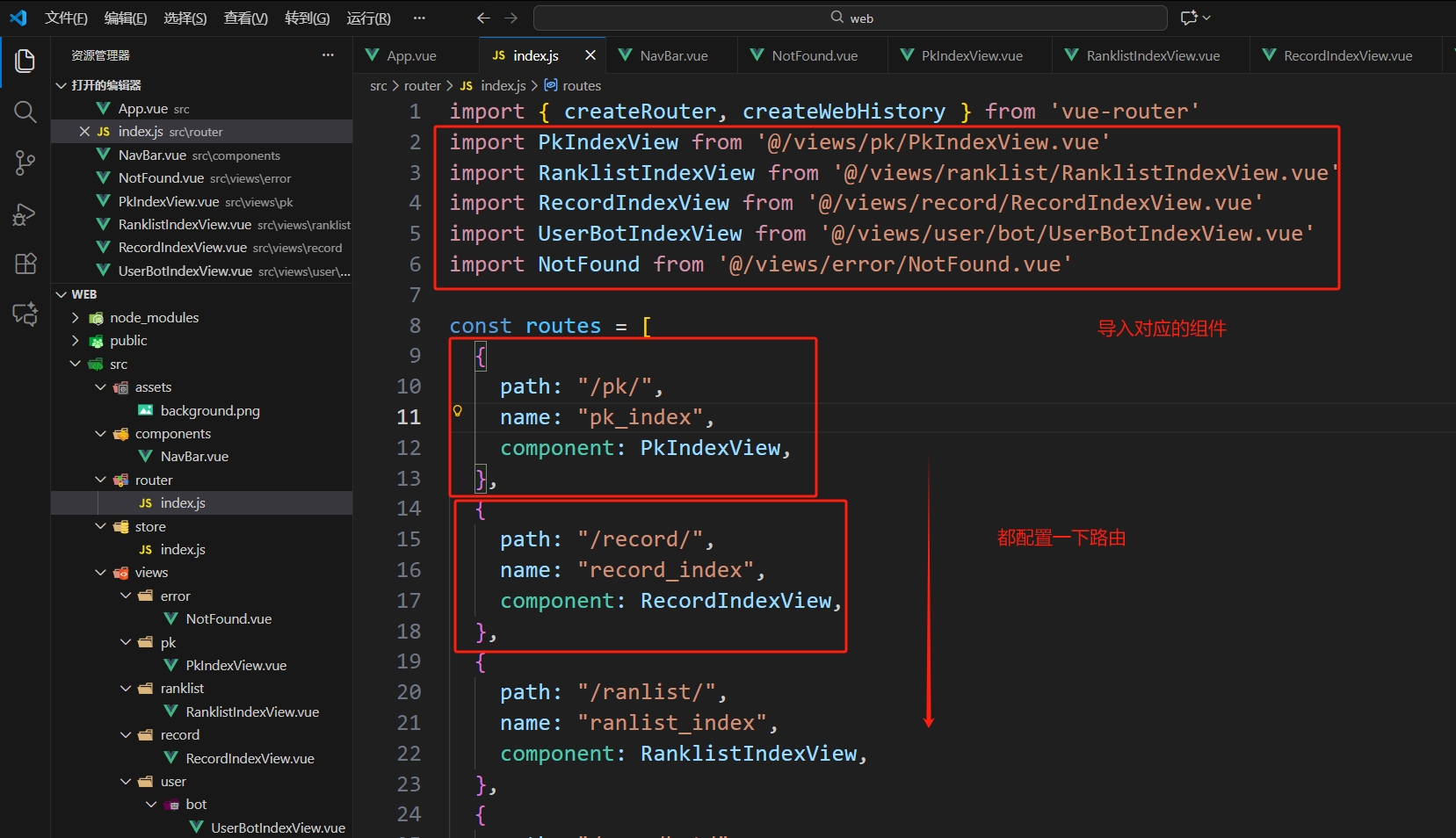
页面写好了,接着我们需要不同路径对应不同的页面, 那么就需要用到
路由,配置路由的位置是在文件
router/index.js中:
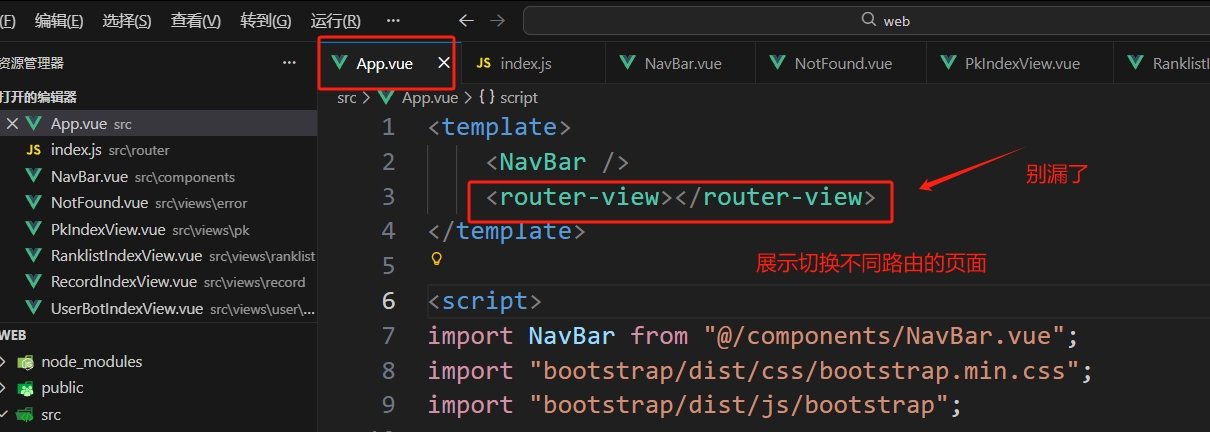
- 接着有一点就是展示这个跳转区域的是用
<router-view>这个标签:
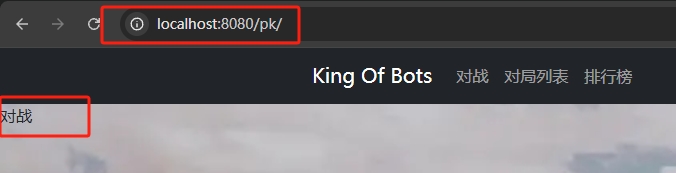
- 那么我们就可以通过不同路由访问到不同页面:
- 当我们直接输入
localhost:8080的时候什么都没有,那么我们需要重定向一下:
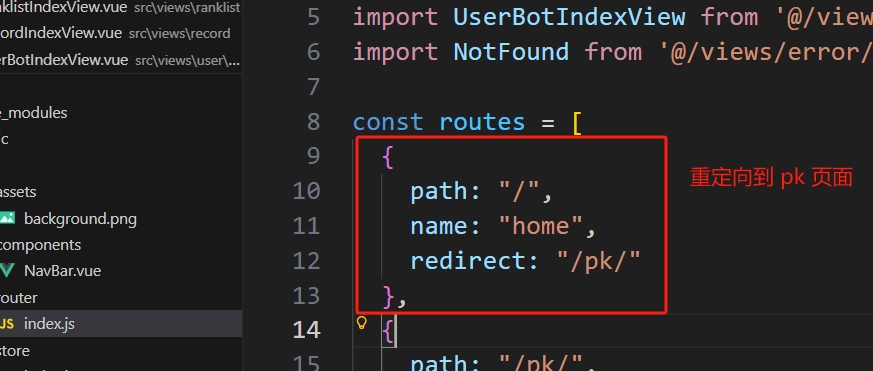
- 同理如果输入的是乱七八糟的路径的话,应该是重定向到
404:
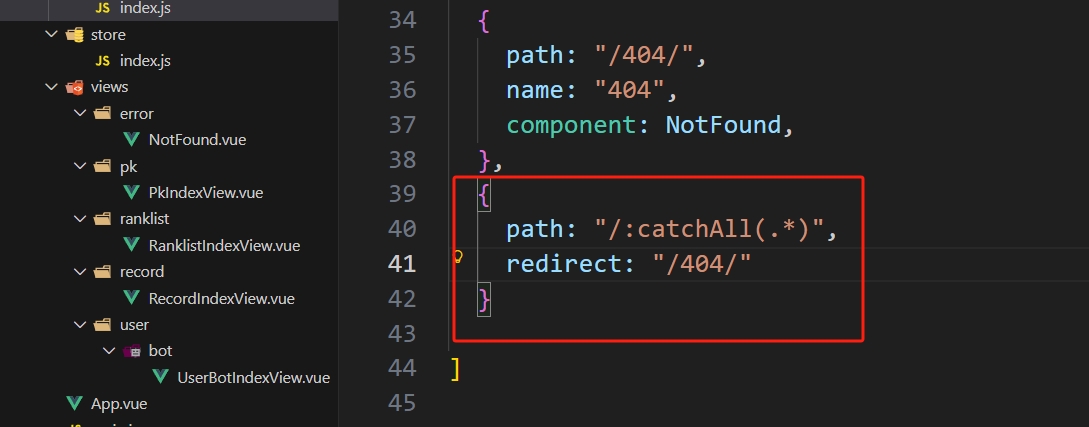
- 然后我们需要和导航栏的点击对应起来,那么只需要改一下
NarBar里面的href就可以:
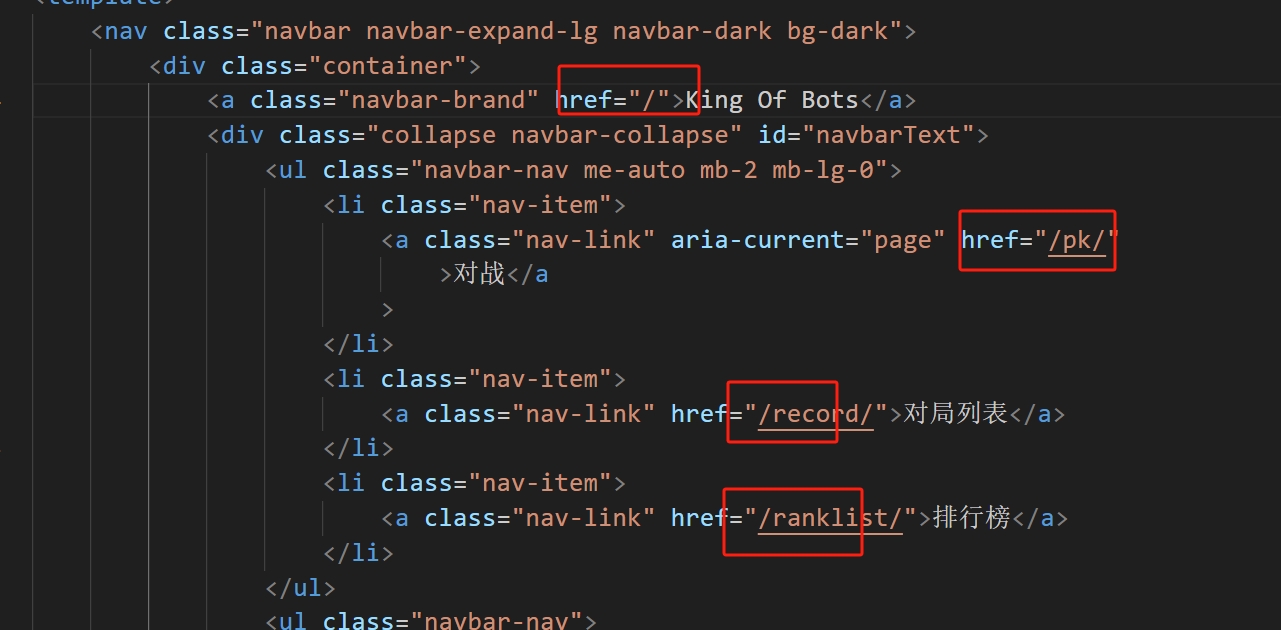
可以跳转了,但是我们点完后可以发现
页面刷新了, 对于这种前后端分离的模式的前端框架,我们其实可以做到不刷新,可以使用
vue-router给我们提供的<router-link>来实现:

把
a标签的类名复制,然后使用:to="{}"来指定一下我们前面路由表配置的路由的name
3.3 container & card
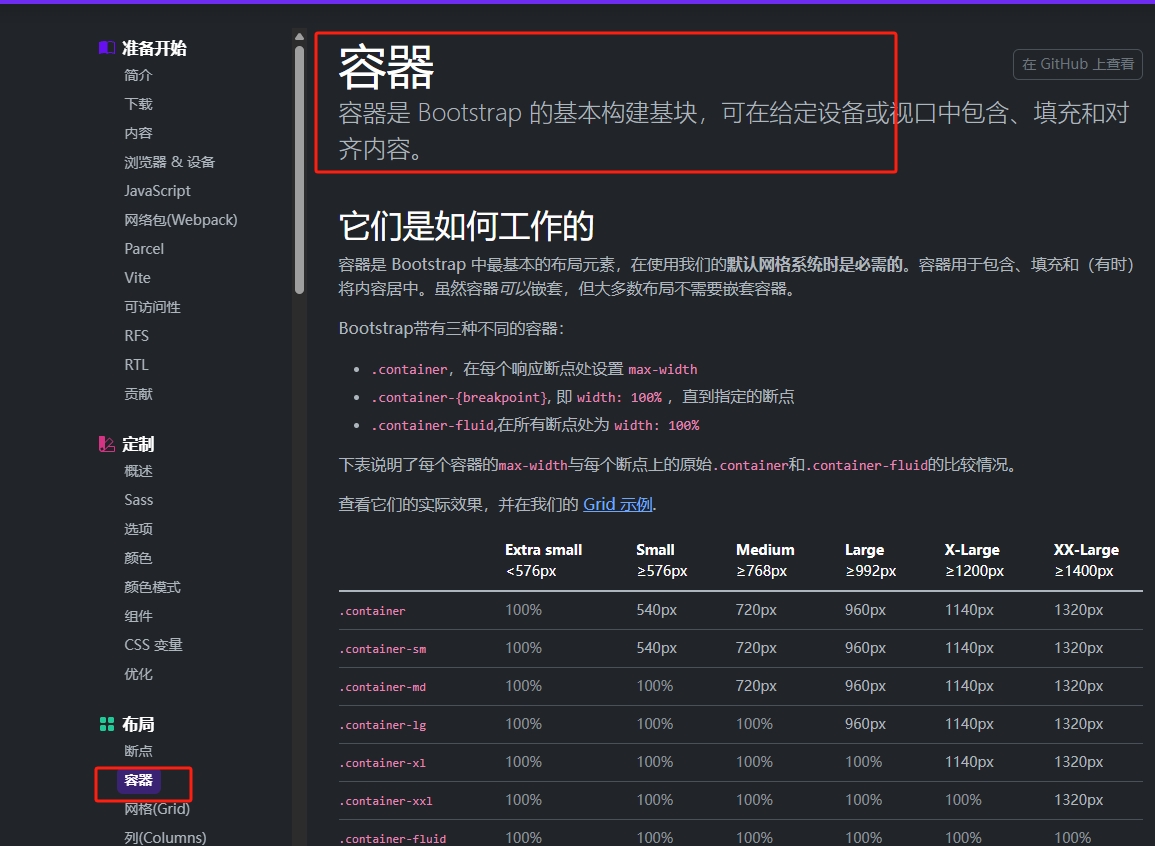
- 容器
container:
- 卡片
card:
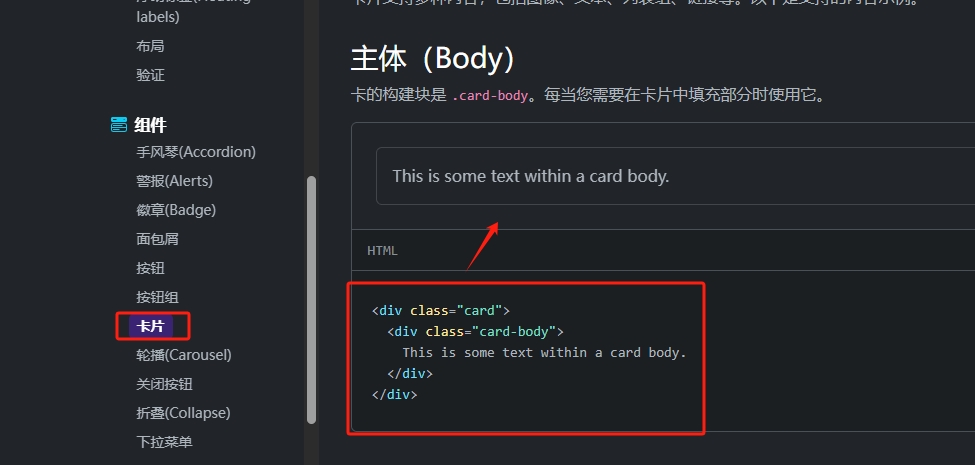
- 那么就可以组合出一段可复用的代码:
<div class="container">
    <div class="card">
        <div class="card-body">对战</div>
    </div>
</div>- 效果:

- 那么我们可以把它抽取出来作为一个组价来使用:
➡️ @/component/ContentField.vue
<template>
    <div class="container">
        <div class="card">
            <div class="card-body">
                <slot></slot>
            </div>
        </div>
    </div>
</template>

<script>
</script>

<style scoped>
</style>- 然后在每一部分导入:
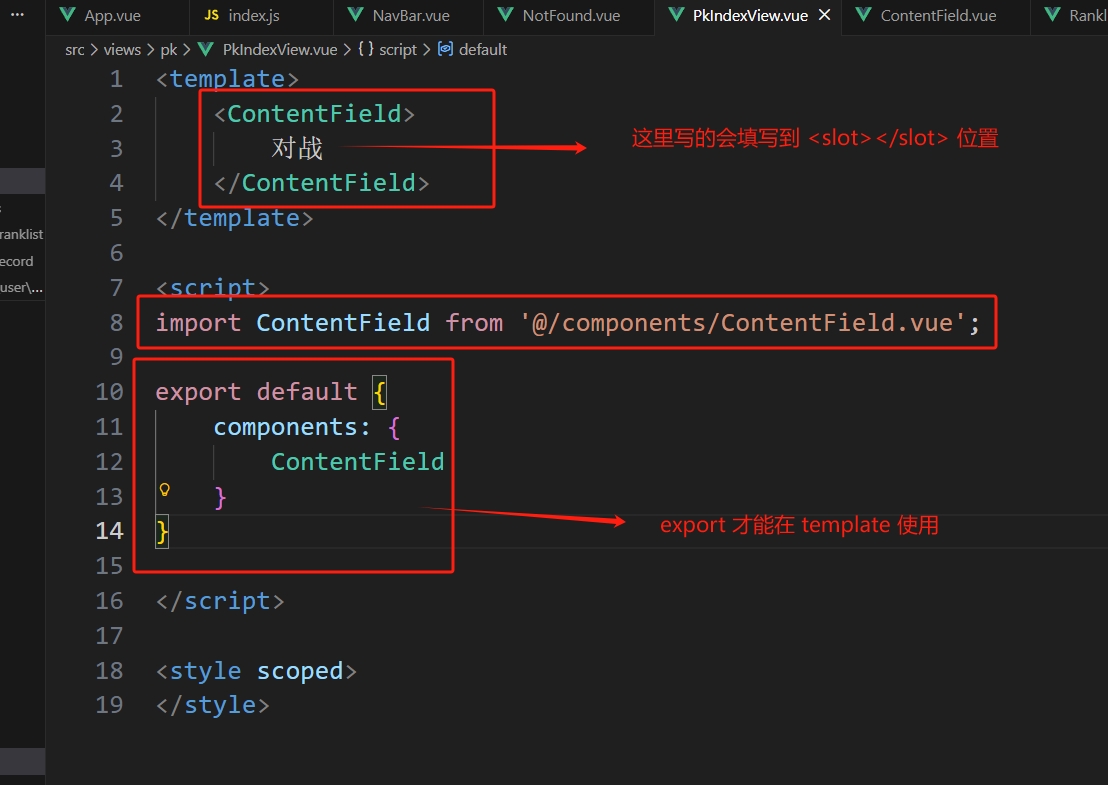
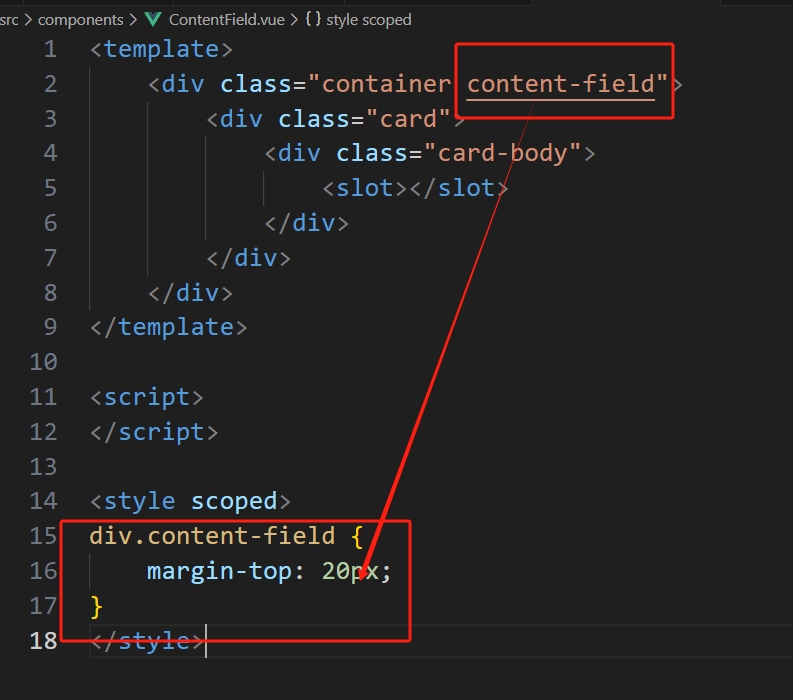
都导入后,看页面效果会发现卡片跟导航栏粘在一起,那么我们可以直接在组件里修改,
这样全部复用这个组件的地方都会得到修改,这就是组件的好处了:
- 效果:

3.4 导航栏高亮当前页面
那么首先知道在
Bootstrap给我们提供的导航栏只需要加上active这个类就有高亮效果其次我们需要知道当前的路由是什么,这需要用到
vue-router里面的{ useRoute }而且用户是有多次点击的,我们需要实时获取到路由名字的话,需要一个实时计算的
computed
<script>
import { useRoute } from 'vue-router';
import { computed } from 'vue';

export default {
    setup() {
        const route = useRoute();
        let route_name = computed(() => route.name)
        return {
            route_name
        }
    }
}
</script>- 在改变了
route_name的时候,我们还需要修改类名:
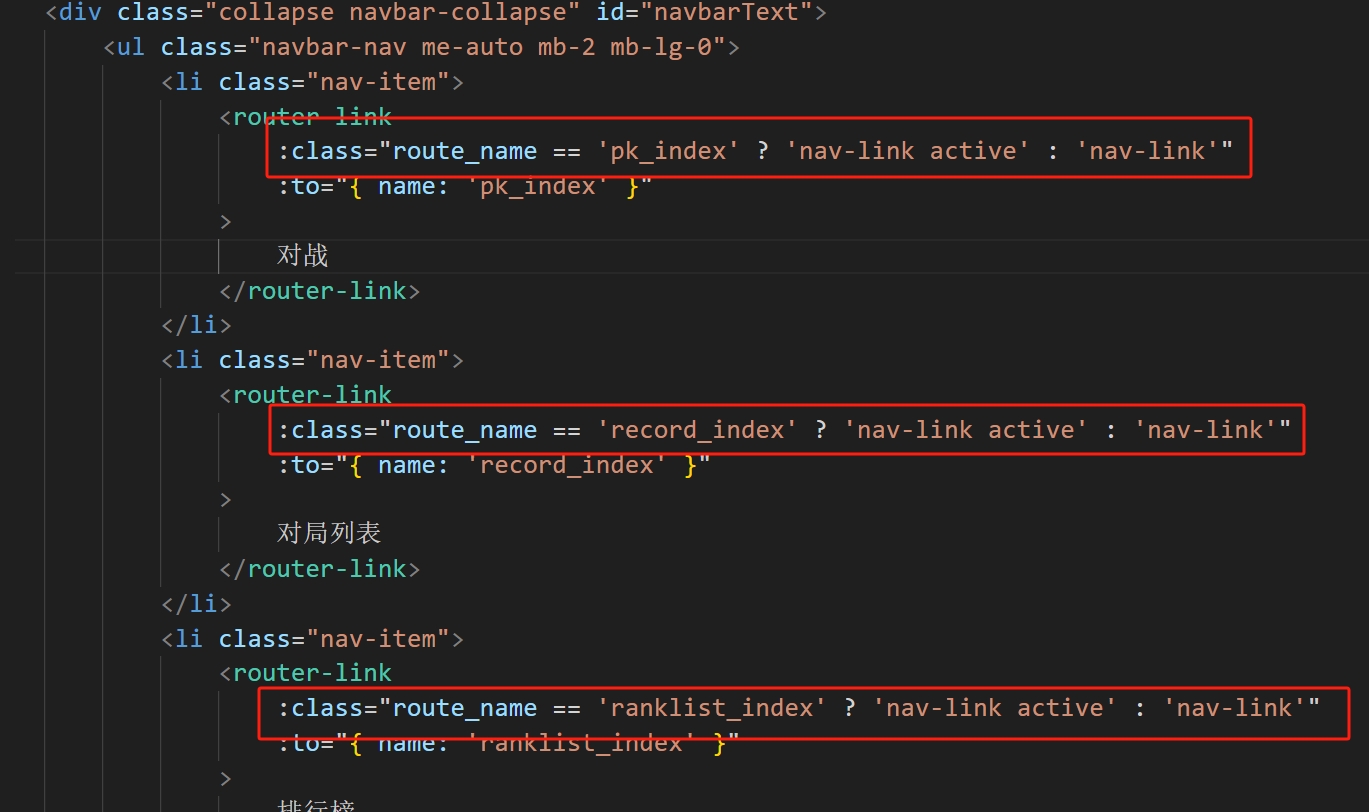
:其实就是v-bind的简写, 然后后面是使用一个三元表达式来实现
四、游戏页面
4.1 ACGameObject
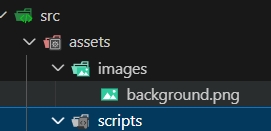
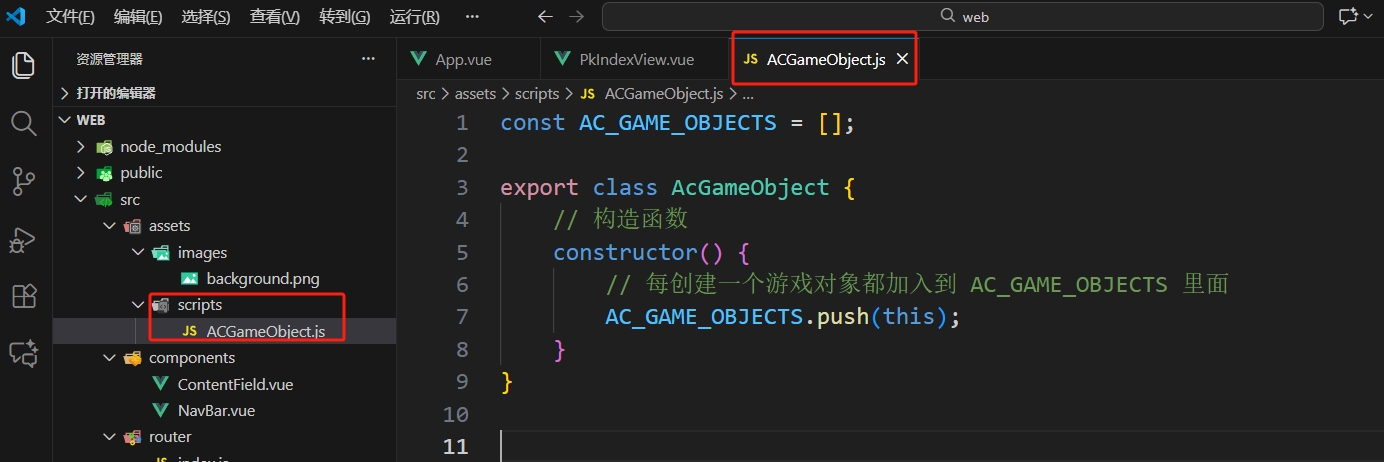
- 创建文件夹:在
assets目录下创建scripts和images存储脚本文件和图像 - 记得把背景图拖到
images,并且修改好新路径
- 在
scripts文件夹下创建一个ACGameObject.js作为游戏对象的基类 :
到这里需要先学习一个函数
requestAnimationFrame(rAF)功能:
- 由浏览器在「下一帧绘制前」主动回调你
- 频率自动匹配屏幕刷新率
- 标签切后台自动暂停,切回来继续
const id = requestAnimationFrame(step); // 登记
cancelAnimationFrame(id); // 取消登记- 形象解释:
画纸 :浏览器已经给你准备好了一张画纸 —— 就是网页里你能看见的区域。
刷新频率 : 这张画纸大约每秒钟会被 “掀起来” 重画 60 次(对应 60 Hz 屏幕)。
每一次掀起来到放下的瞬间,就叫一帧。
把 “自己的画” 插进去 :
requestAnimationFrame(回调函数)就是跟浏览器说: “ 下一帧掀起来时,请把我的这幅画也一起画上去!”
自动排队 :浏览器自己会去对齐屏幕刷新节奏,不会早也不会晚;
如果你还想继续画,就再写一次
requestAnimationFrame(回调函数),它就会一帧接一帧地帮你排下去。
不想画了,就取消用
cancelAnimationFrame(编号)就能随时把排队取消,像把还没贴上去的画抽回来。
➡️ ACGameObject.js
const AC_GAME_OBJECTS = [];

export class AcGameObject {
    // 构造函数
    constructor() {
        // 每创建一个游戏对象都加入到 AC_GAME_OBJECTS 里面
        AC_GAME_OBJECTS.push(this);
        // 这一帧和上一帧的时间间隔
        this.timedelta = 0;
        // 标记有没有执行过 start
        this.has_called_start = false;

    }

    start() {   // 只执行一次(创建时)

    }

    update() {  // 每一帧执行一次, 除了第一帧 start

    }

    on_destroy() {  //删除之前执行

    }

    destroy() { // 删除一个游戏对象

        // 删除之前执行 on_destroy
        this.on_destroy();

        // for( .. in .. ) 为遍历下标
        for(let i in AC_GAME_OBJECTS) {
            const obj = AC_GAME_OBJECTS[i];
            if(obj == this) {
                AC_GAME_OBJECTS.splice(i);
                break;
            }
        }
    }
}

let last_timestamp; // 上一次执行的时刻
// 传入的参数 timestamp 为当前函数执行时刻
const step = timestamp => {
    // for( .. of .. ) 为遍历值
    for(let i of AC_GAME_OBJECTS){
        // 如果没有执行 start 的话就先执行 start
        if(!obj.has_called_start){
            obj.has_called_start = true; // 标记为执行过
            obj.start();
        }else{
            // 如果执行过 start 那么执行 update
            // 记录一下时间间隔 = 当前执行时刻 - 上一次执行时刻
            obj.timedelta = timestamp - last_timestamp;
            obj.update();
        }

        // 更新 last_timestamp
        last_timestamp = timestamp;
    }

    // 下一帧再次调用  requestAnimationFrame 使其变成递归
    // 那么这样的最终效果就是所以的游戏对象第一帧执行 start, 后面执行 update
    requestAnimationFrame(step);
}

// 从第一帧开始
requestAnimationFrame(step);4.2 PlayGround
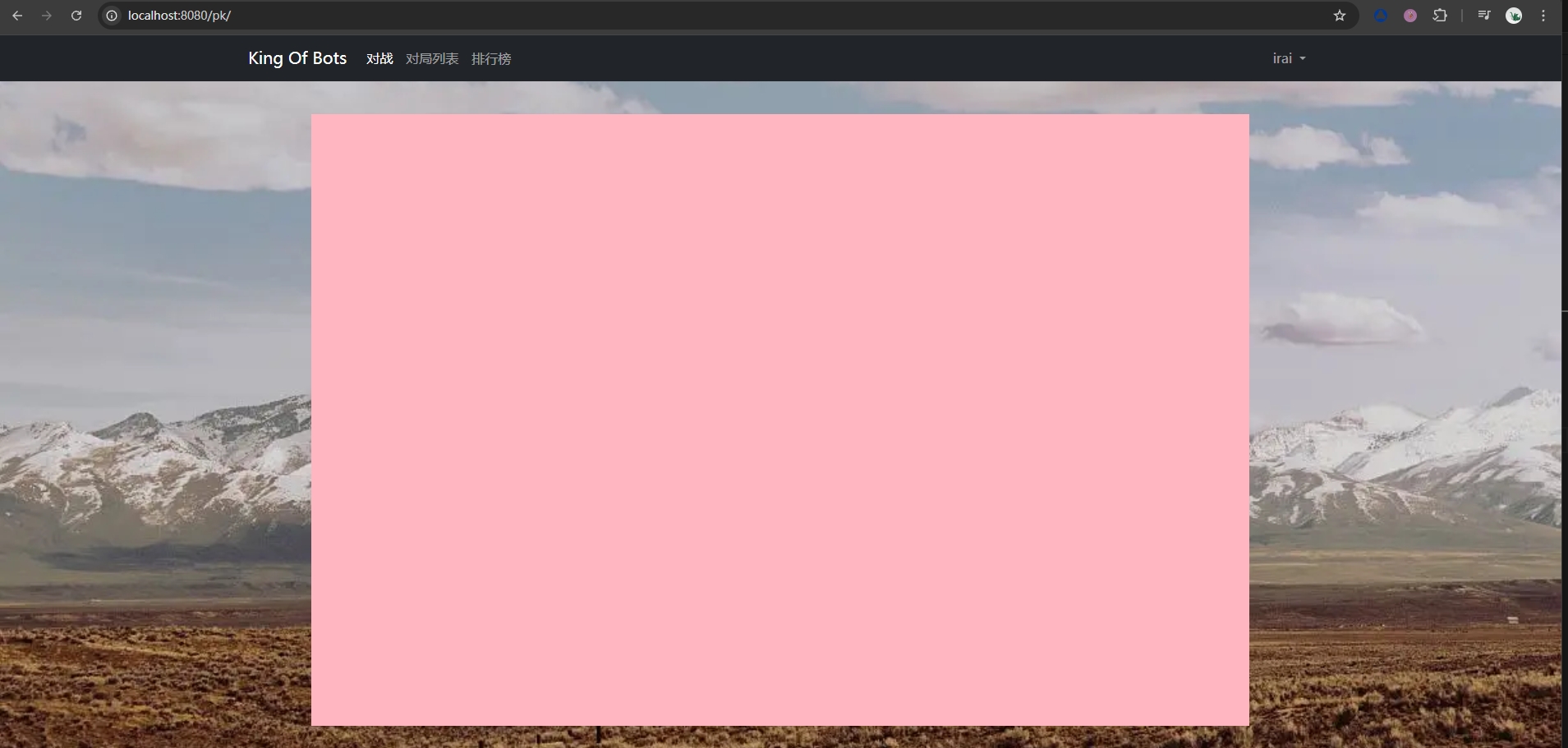
那么后面每一个游戏组件都要继承自这个基类,首先我们先实现地图类
GameMap.js在此之前,我们需要一个组件来显示地图的区域
➡️ PlayGround.vue:
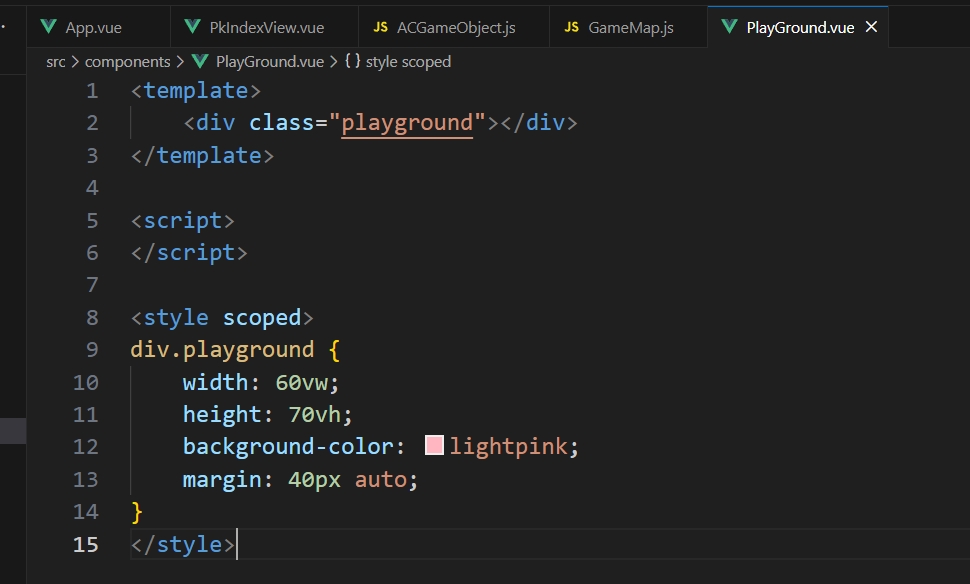
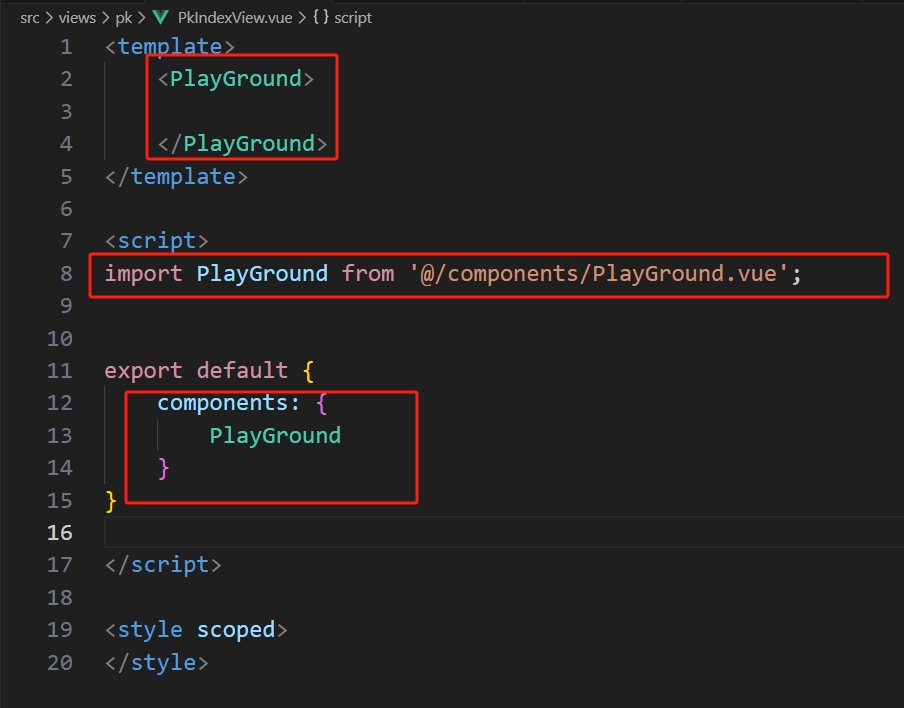
- 需要修改
➡️ PkIndexView.vue部分:
- 效果:
4.3 Gamemap
然后我们的地图是一个正方形区域,而且我们需要它在这个矩形里尽可能的大的一个正方形
那么我们需要动态求里面正方形的边长(因为窗口是可能变化的),这个最大正方形就是
我们的 "画布" , 我们需要用
canvas在这个画布画出地图那么定义一个这个区域的组件
➡️ GameMap.vue
<template>
    <div ref="parent" class="gamemap">
        <canvas ref="canvas"></canvas>
    </div>
</template>

<script>
import { GameMap } from '@/assets/scripts/GameMap';
import { ref, onMounted} from 'vue';

export default {
    setup() {
        let parent = ref(null);
        let canvas = ref(null);

        // 组件挂载完成后执行的钩子函数 onMounted
        onMounted(() => {
            new GameMap(canvas.value.getContext('2d'), parent.value);
        });

        return {
            parent,
            canvas
        }
    }
}

</script>

<style scoped>
div.gamemap {
    width: 100%;
    height: 100%;
    display: flex;
    justify-content: center;
    align-items: center;
}
</style>➡️ PlayGround.vue
<template>
    <div class="playground">
        <GameMap></GameMap>
    </div>
</template>

<script>
import GameMap from './GameMap.vue';

export default {
    components: {
        GameMap
    }
}

</script>

<style scoped>
div.playground {
    width: 60vw;
    height: 70vh;
    background-color: lightpink;
    margin: 40px auto;
}
</style>- 地图类
➡️ GameMap.js:
import { AcGameObject } from "./ACGameObject";

export class GameMap extends AcGameObject {
    // 构造函数
    // ctx (canvas.getContext() 获取到的 "画布")
    // parent 画布的父元素
    constructor(ctx, parent) {
        // 先执行基类的构造函数
        super();

        this.ctx = ctx;
        this.parent = parent;

        // 一个单位的长度 L
        this.L = 0;
        // 整个地图是 13 单位 * 13 单位
        this.rows = 13;
        this.cols = 13;
    }

    start() {

    }

    // 计算一个单位的长度
    update_size() {
        // 一个单位的长度 = min(矩形div的宽度/col列, 矩形div的高度/row行)
        this.L = Math.min(this.parent.clientWidth / this.cols, this.parent.clientHeight / this.rows);
        // 注: 上面这样取最小值就可以获取到那个矩形div内部的一个最大正方形为 13L * 13L
        // 这个最大正方形就是我们需要的画布区域
        this.ctx.canvas.width = this.L * this.cols;
        this.ctx.canvas.height = this.L * this.rows;
    }

    update() {
        // 每一次 update 渲染一次 update_size 一次
        this.update_size();
        this.render();
    }

    // 渲染
    render() {
        this.ctx.fillStyle = 'green';
        this.ctx.fillRect(0, 0 ,this.ctx.canvas.width, this.ctx.canvas.height)
    }
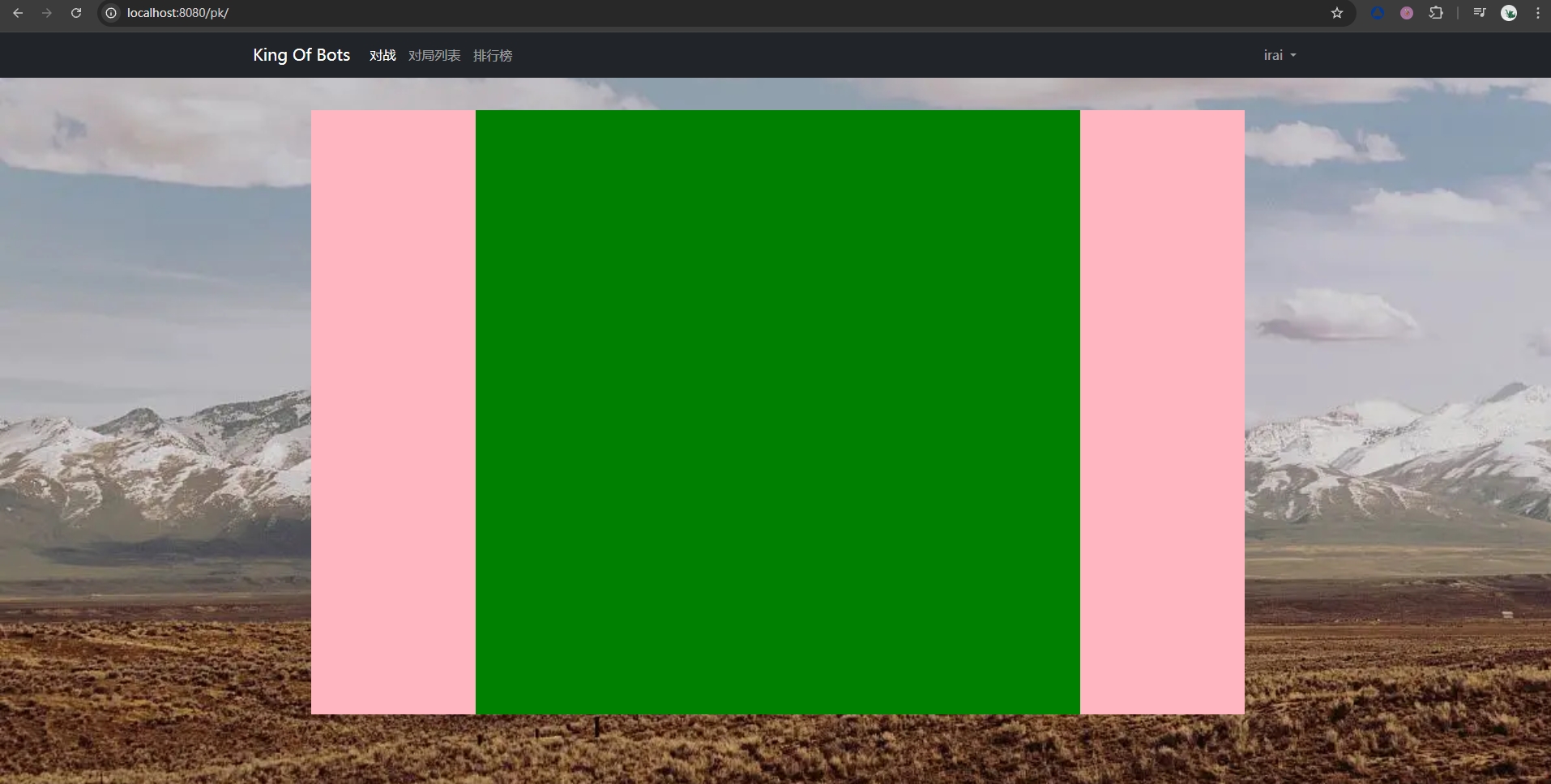
}- 完成上面的代码就可以看到我们区域大概的雏形了:
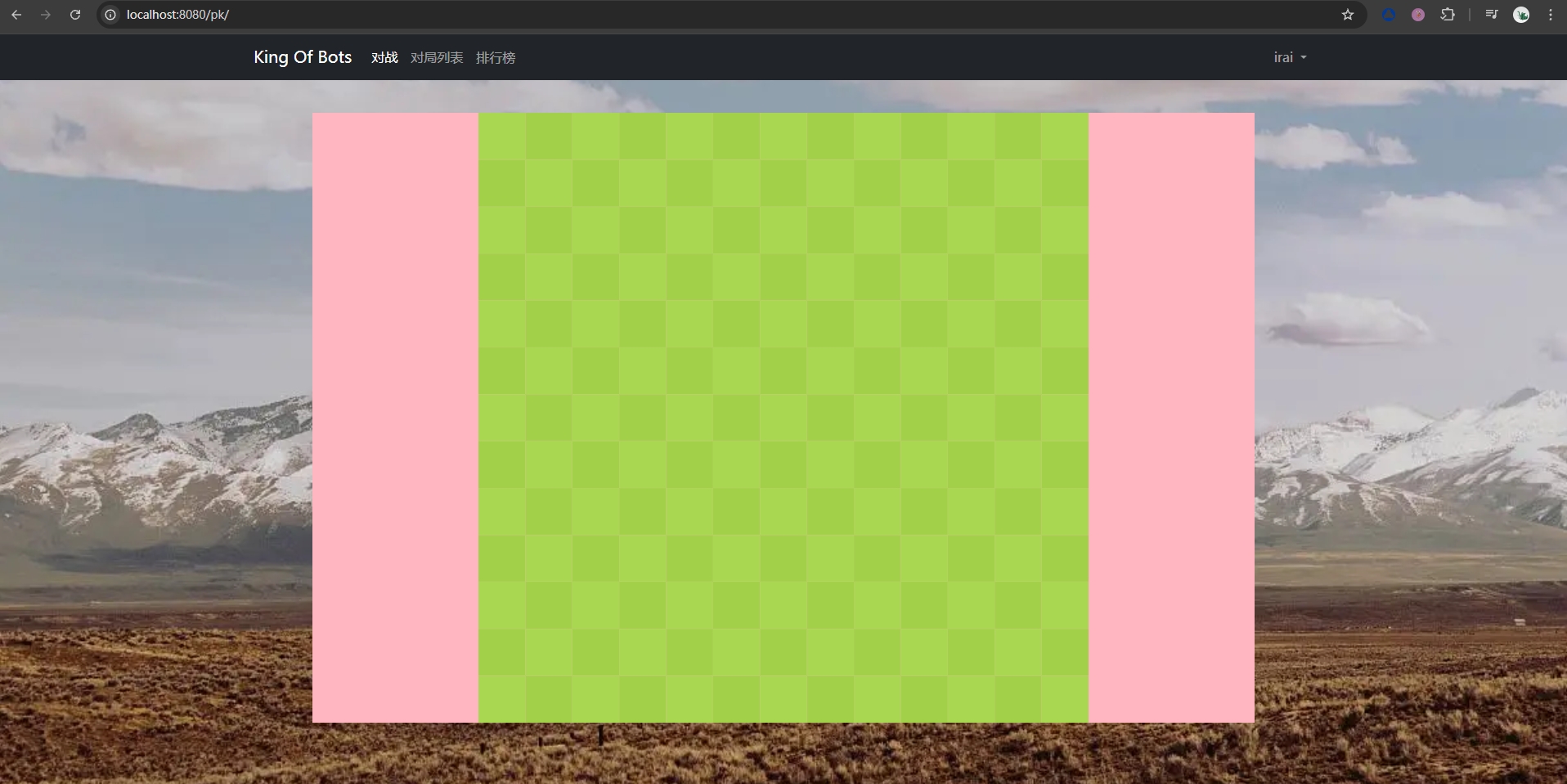
接下来我们需要把绿色区域换成我们的地图的背景(先不画障碍物)
地图的背景是深绿和浅绿交替的网格,那么可以思考一个逻辑来填充这个颜色
比如说,我们知道这个地图是
13 * 13了,那么可以想成是索引0 ~ 12那么行索引和列索引相加是偶数的话,那么我们填充深绿,奇数填充浅绿,那么就可以实现效果
➡️ GameMap.js-->render()
// 渲染
render() {
    const color_even = "#AAD751", color_odd = "#A2D149";
    for(let r = 0; r < this.rows; r ++ ){
        for(let c = 0; c < this.cols; c ++ ){
            if((r + c) % 2 == 0){
                this.ctx.fillStyle = color_even;
            }else{
                this.ctx.fillStyle = color_odd;
            }
            // 用特定颜色填充矩形
            this.ctx.fillRect(c * this.L, r * this.L, this.L, this.L);
        }
    }
}- 效果:
接下来就是放置障碍物了,那么我们又可以创建一个类
Wall.js➡️ Wall.js
import { AcGameObject } from "./ACGameObject";

export class Wall extends AcGameObject {
    // 构造函数
    constructor(r, c, gamemap) {
        // 先调用基类的构造函数
        super();

        this.r = r;
        this.c = c;
        this.gamemap = gamemap;
        // 墙的颜色
        this.color = "#B37226";
    }

    update() {
        this.render();
    }

    render() {
        // 取单位长度
        const L = this.gamemap.L;
        // 取过来 ctx 画布对象
        const ctx = this.gamemap.ctx;

        ctx.fillStyle = this.color;
        ctx.fillRect(this.r, this.c, L, L);
    }
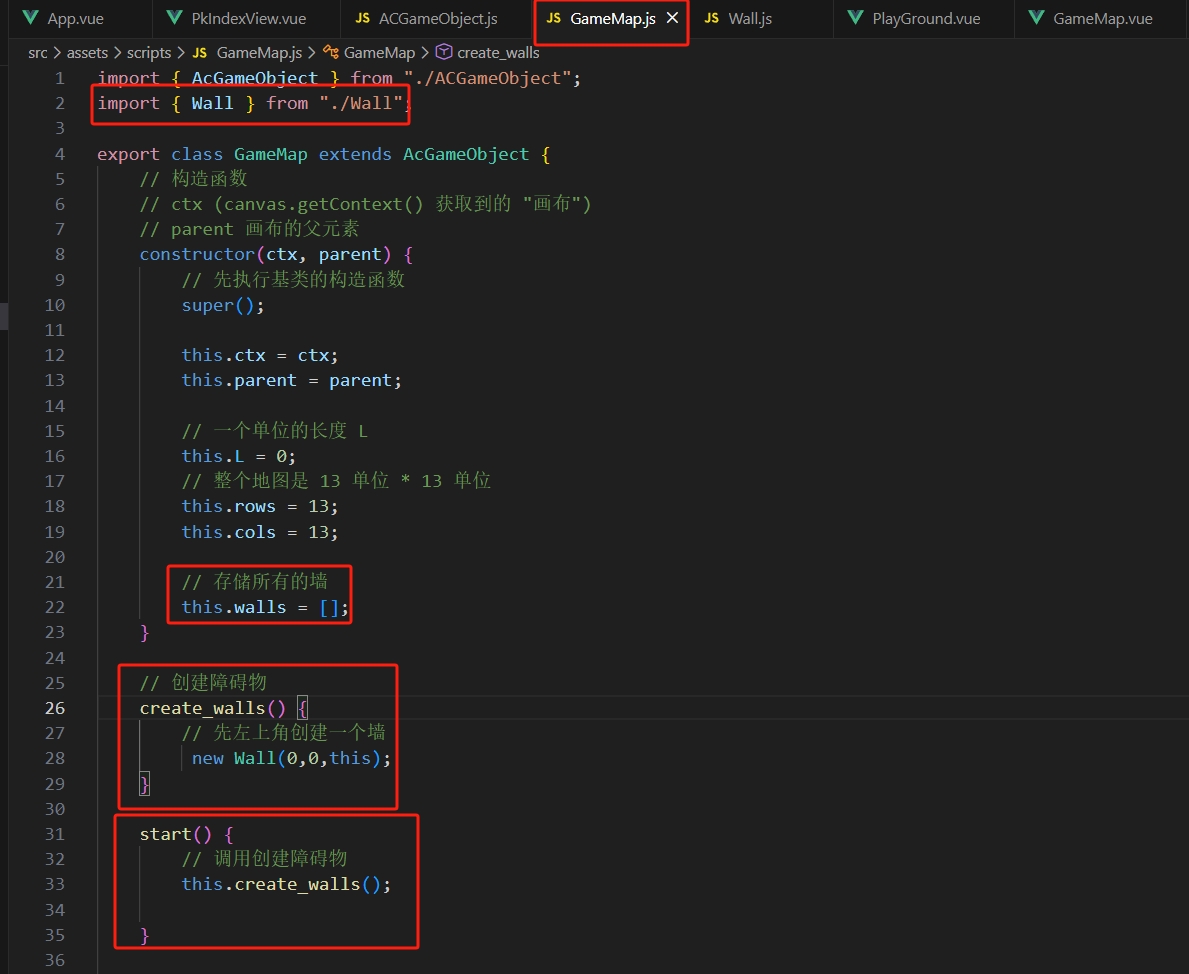
}- 然后在构建地图的类
GameMap.js调用一下:
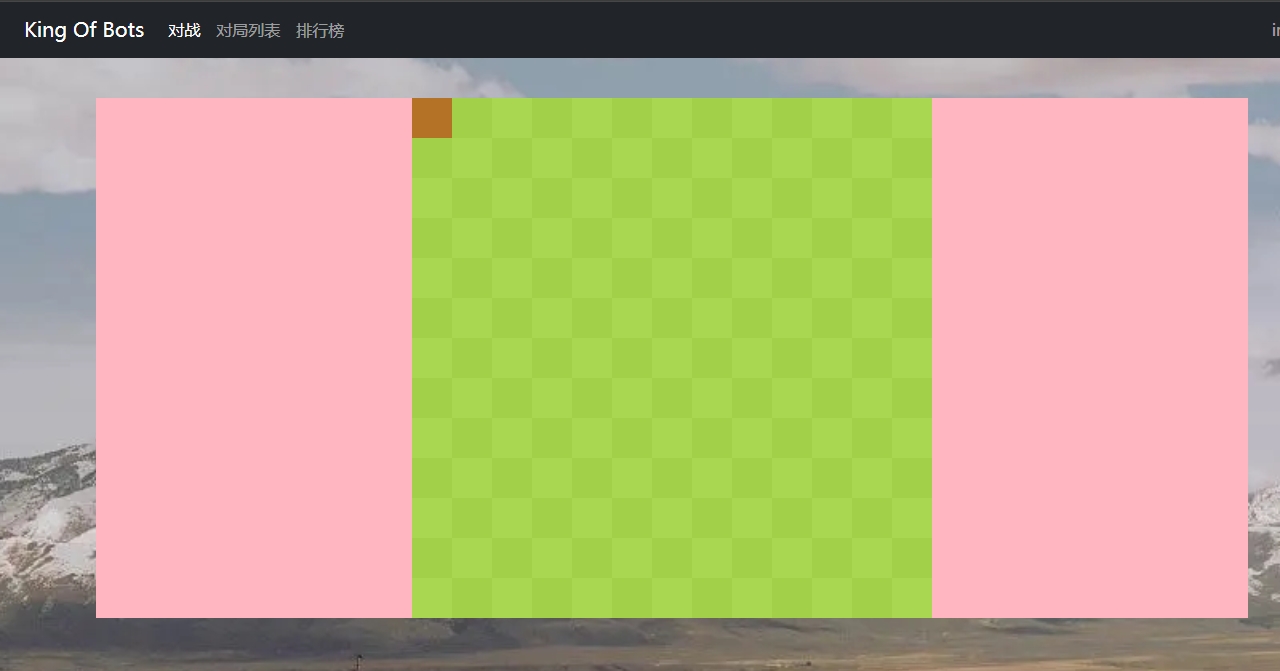
- 目前效果:
- 之后按照这种方式思考一下哪些位置需要放置墙:
- 1). 边缘位置都需要墙
- 2). 中间位置使用随机数的方式,随机出一定数量的坐标位置填充墙
➡️ GameMap.js
import { AcGameObject } from "./ACGameObject";
import { Wall } from "./Wall";

export class GameMap extends AcGameObject {
    // 构造函数
    // ctx (canvas.getContext() 获取到的 "画布")
    // parent 画布的父元素
    constructor(ctx, parent) {
        // 先执行基类的构造函数
        super();

        this.ctx = ctx;
        this.parent = parent;

        // 一个单位的长度 L
        this.L = 0;
        // 整个地图是 13 单位 * 13 单位
        this.rows = 13;
        this.cols = 13;

        // 内部障碍物数量
        this.inner_walls_count = 20;

        // 存储所有的墙
        this.walls = [];
    }

    // 使用 Flood Fill 算法来判断是不是连通的
    check_connectivity(g, sx, sy, tx, ty) {
        // 起点走到了终点,说明是连通的,那么return true
        if(sx == tx && sy == ty) return true;
        // 把当前位置标记已经走过
        g[sx][sy] = true;
        // 定义上右下左偏移量
        let dx = [-1,0,1,0], dy = [0,1,0,-1];
        // 枚举四个方向
        for(let i = 0; i < 4; i ++ ){
            let x = sx + dx[i];
            let y = sy + dy[i];
            // 如果没有撞墙并且可以搜到终点
            if(!g[x][y] && this.check_connectivity(g,x,y,tx,ty))
                return true;
        }
        return false;
    }

    // 创建障碍物
    create_walls() {
        // 布尔数组 g : 记录哪些位置已经有墙
        const g = [];
        for(let r = 0; r < this.rows; r ++ ){
            // 每行都是一个数组
            g[r] = [];
            for(let c = 0; c < this.cols; c ++ ){
                // 一开始都初始化成 false
                g[r][c] = false;
            }
        }

        // 给四周加上障碍物
        // 左右两边加上墙
        for(let r = 0; r < this.rows; r ++ ){
            g[r][0] = g[r][this.cols - 1] = true;
        }
        // 上下两边加上墙
        for(let c = 0; c < this.cols; c ++ ){
            g[0][c] = g[this.rows - 1][c] = true;
        }

        // 创建随机障碍物
        for(let i = 0; i < this.inner_walls_count / 2; i ++ ){
            // 不断循环随机值,随机到没有重复的位置为止
            for(let j = 0; j < 1000; j ++){
                // Math.random(): 生成随机数 [0,1)
                // 那么 parseInt(Math.random() * this.rows) 是 [0,this.rows - 1) 的随机整数
                let r = parseInt(Math.random() * this.rows);
                let c = parseInt(Math.random() * this.cols);
                // 如果之前是墙,那么跳过
                if(g[r][c] || g[c][r]) continue;
                // 如果是左下角(起点)或者右上角(终点)那么跳过
                if(r == this.rows - 2 && c == 1 || r == 1 && c == this.cols - 2) continue;
                // 对称的
                g[r][c] = g[c][r] = true;
                break;
            }

        }

        //复制一份再传进去判断连通性,防止修改源数据
        const copy_g = JSON.parse(JSON.stringify(g));
        // 如果是不连通的 return false;
        if(!this.check_connectivity(copy_g, this.rows - 2, 1 , 1, this.cols - 2)) return false;


        // 遍历 g 如果是 true 那么渲染一个障碍物
        for(let r = 0; r < this.rows; r ++ ){
            for(let c = 0; c < this.cols; c ++ ){
                if(g[r][c] == true){
                    this.walls.push(new Wall(r, c, this));
                }
            }
        }

        // 如果是连通的return true
        return true;
    }

    start() {
        // 调用创建障碍物
        for(let i = 0; i < 1000; i ++ ){
            // 只要不是连通的就循环继续创建
            if(this.create_walls())
                break;
        }
    }

    // 计算一个单位的长度
    update_size() {
        // 一个单位的长度 = min(矩形div的宽度/col列, 矩形div的高度/row行)
        this.L = parseInt(Math.min(this.parent.clientWidth / this.cols, this.parent.clientHeight / this.rows));
        // 注: 上面这样取最小值就可以获取到那个矩形div内部的一个最大正方形为 13L * 13L
        // 这个最大正方形就是我们需要的画布区域
        this.ctx.canvas.width = this.L * this.cols;
        this.ctx.canvas.height = this.L * this.rows;
    }

    update() {
        // 每一次 update 渲染一次 update_size 一次
        this.update_size();
        this.render();
    }

    // 渲染
    render() {
        const color_even = "#AAD751", color_odd = "#A2D149";
        for(let r = 0; r < this.rows; r ++ ){
            for(let c = 0; c < this.cols; c ++ ){
                if((r + c) % 2 == 0){
                    this.ctx.fillStyle = color_even;
                }else{
                    this.ctx.fillStyle = color_odd;
                }
                // 用特定颜色填充矩形
                this.ctx.fillRect(c * this.L, r * this.L, this.L, this.L);
            }
        }
    }
}- 画好地图后记得把
PlayGround.vue里面的矩形背景给删掉,效果如下:
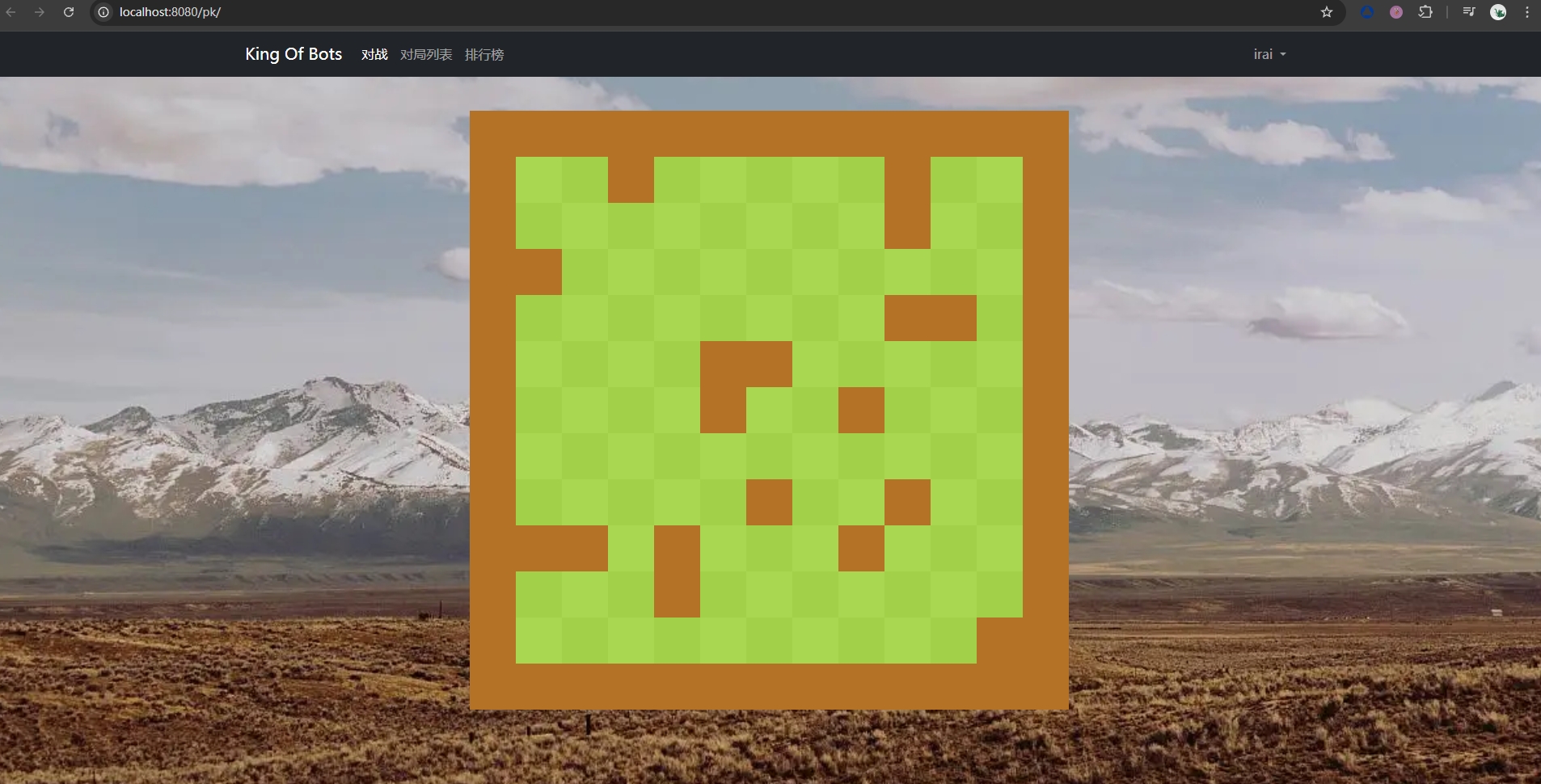
每一次刷新都是不一样的地图,且可以保证起点终点是连通的
4.4 改良地图
在之前的地图里,我们设置的是
13 * 13的一个正方形,一个蛇在(11,1)出生,一个蛇在
(1,11)出生,那么这两个坐标的横纵坐标加起来都是符合同一个趋势,就是 偶 、奇、偶、奇 .... , 所以这样会有可能出现两个蛇的头同时出现在一个格子
的情况,那么这种是可以判平局,但我们也可以避免这种情况。比如说我们修改一下
地图为
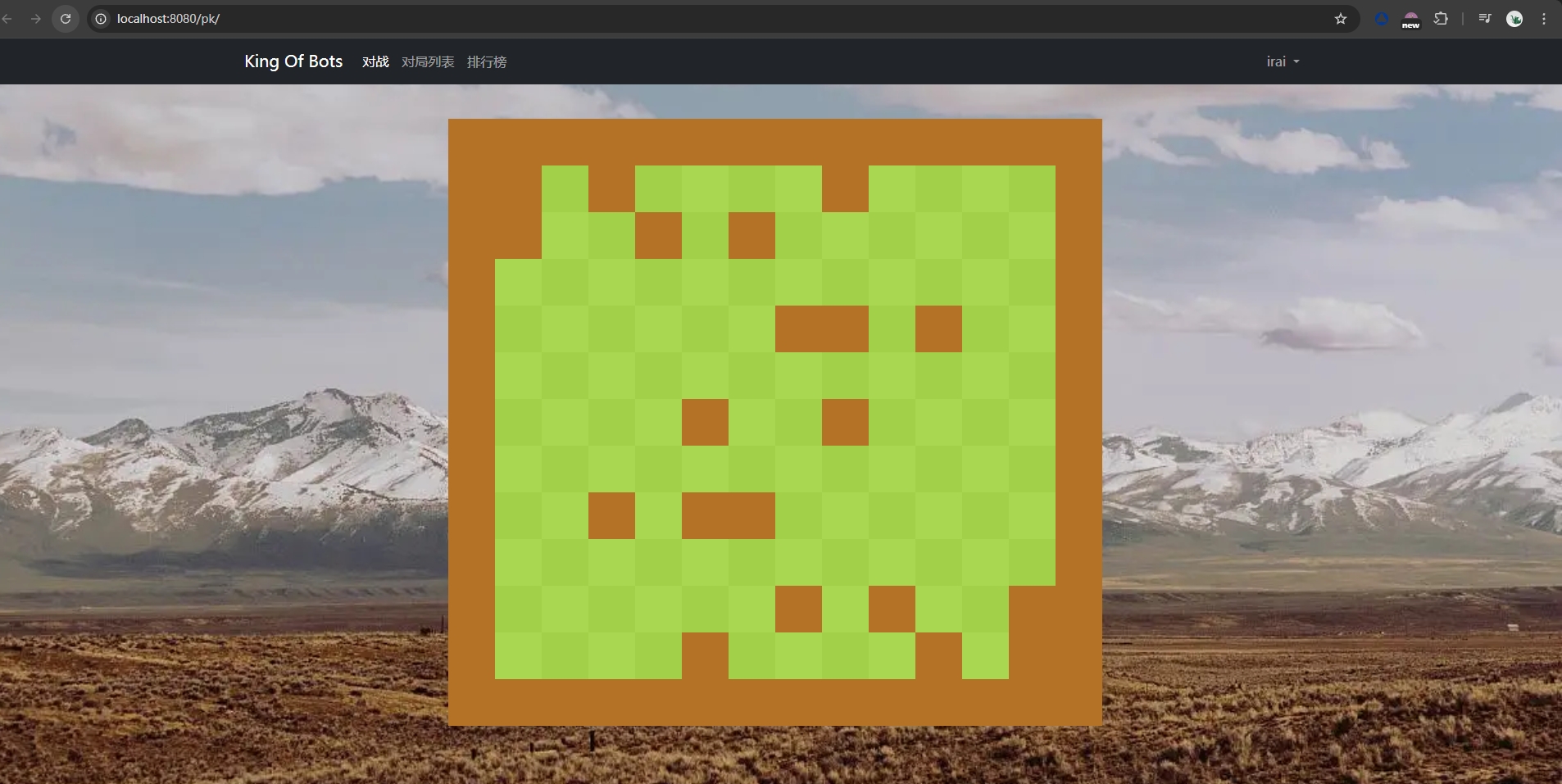
13 * 14的 ,那么就变成了一个矩形的地图,一个蛇坐标(11,1),一个蛇坐标
(1,12), 那么它们的变化趋势就不一样了,那么肯定不会出现在同一个格子,同时,之前正方形我们沿着主对角线轴对称来随机地图,那么矩形就不能这样了,我们
可以改成中心对称,通过分析我们可以发现,如果一个点是
g[r][c], 那么中心对称后的点是
g[this.rows - 1 - r][this.cols - 1 - c],效果如下:
📌 思考:
目前我们地图生成的代码是在前端生成的,那么就会出现一些问题,比如说:这个地图是由甲方生成呢,
还是乙方生成呢??这个地图生成代码在前端,那么是不是生成代码的那一方可以修改前端的代码
使得这个游戏变得不公平 ...
所以说,后续我们还需要把这个生成地图的代码移动到服务端生成
4.5 地图加蛇
4.5.1 添加蛇头
先把一个蛇的单位格子先定义一个类
Cell:在此之前需要注意几个点:
定义的 行
r和 列c这个坐标系和canvas的坐标系是不一样的r轴竖直,c轴水平,而canvas水平是x轴 , 竖直是y轴r和c是每个格子左上角的位置,因为之前就是这样画格子的而对于蛇一个单位的格子我们需要画成一个圆,在
canvas里,如果画圆使用
arc那么我们需要的是圆心的坐标,那么我们需要获取到
r和c后 ,x = c + 0.5和y = r + 0.5
export class Cell{
    // 构造函数
    constructor(r, c) {
        this.r = r;
        this.c = c;
        this.x = c + 0.5;
        this.y = r + 0.5;
    }
}- 基于这个
Cell我们加蛇需要创建一个继承于基类的Snake游戏对象类吧
import { AcGameObject } from "./ACGameObject";
import { Cell } from "./Cell";

export class Snake extends AcGameObject {
   // 构造函数
   constructor(info, gamemap) {
       super();

       this.id = info.id;
       this.color = info.color;
       this.gamemap = gamemap;

       this.cells = [new Cell(info.r, info.c)]     // 存放蛇的身体. cell[0] 存放蛇头
   }

   start() {
   }


   update() {
       this.render();
   }

   render() {
       const L = this.gamemap.L;
       const ctx = this.gamemap.ctx;

       ctx.fillStyle = this.color;
       for(const cell of this.cells){
           ctx.beginPath();
           ctx.arc(cell.x * L, cell.y * L, L / 2, 0, Math.PI * 2);
           ctx.fill();
       }
   }
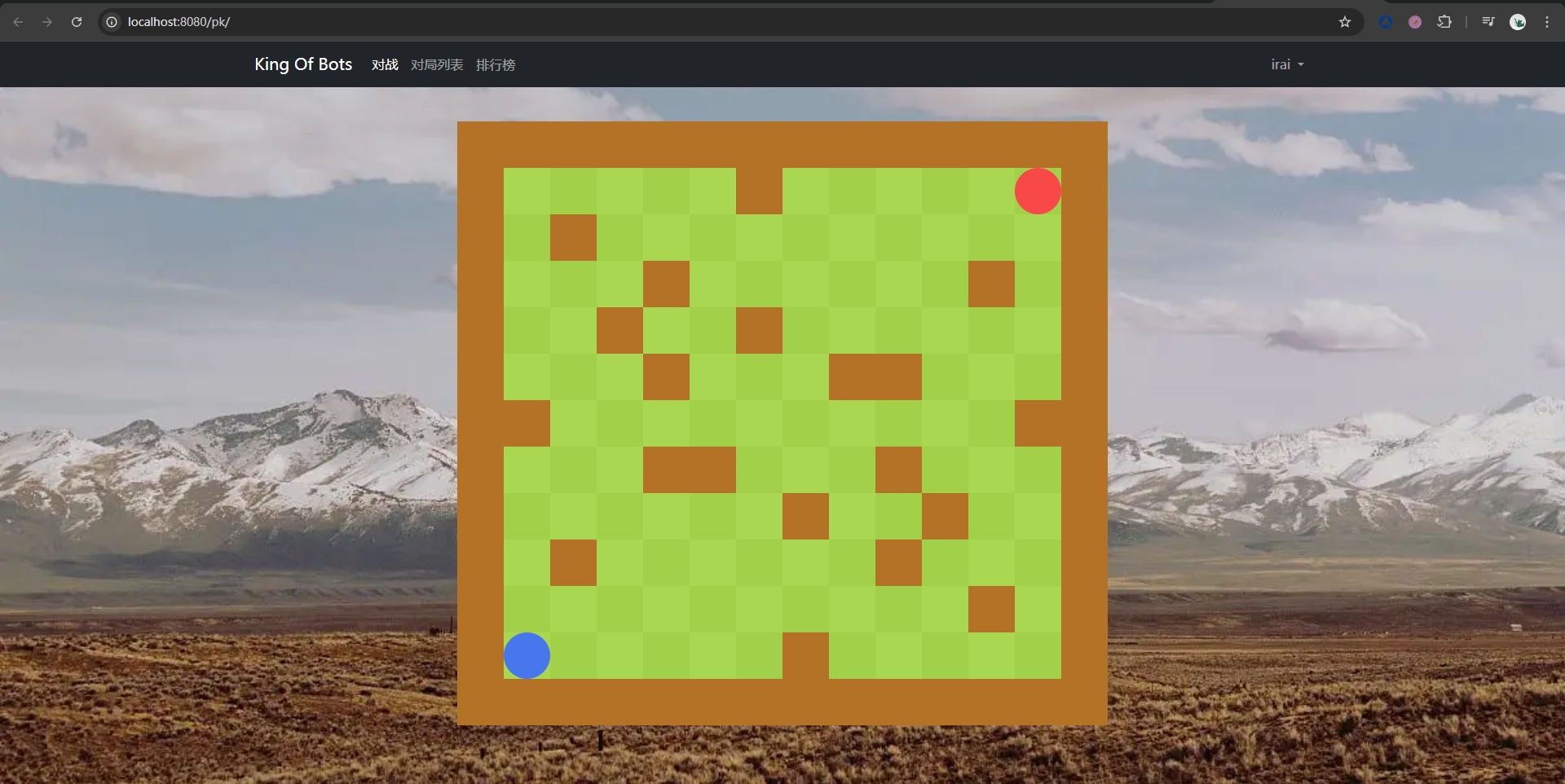
}- 目前效果:
4.5.2 蛇的移动
注意对于
canvas需要加上属性tabindex="0", 并且this.ctx.canvas.focus();让
canvas画布变得可聚焦,才可以让用户使用键盘与它交互
📌 示例代码:
➡️ GampMap.vue
<template>
    <div ref="parent" class="gamemap">
        <canvas ref="canvas" tabindex="0"></canvas>
    </div>
</template>

<script>
import { GameMap } from '@/assets/scripts/GameMap';
import { ref, onMounted} from 'vue';

export default {
    setup() {
        let parent = ref(null);
        let canvas = ref(null);

        // 组件挂载完成后执行的钩子函数 onMounted
        onMounted(() => {
            new GameMap(canvas.value.getContext('2d'), parent.value);
        });

        return {
            parent,
            canvas
        }
    }
}

</script>

<style scoped>
div.gamemap {
    width: 100%;
    height: 100%;
    display: flex;
    justify-content: center;
    align-items: center;
}
</style>➡️ GameMap.js
import { AcGameObject } from "./ACGameObject";
import { Snake } from "./Snake";
import { Wall } from "./Wall";

export class GameMap extends AcGameObject {
    // 构造函数
    // ctx (canvas.getContext() 获取到的 "画布")
    // parent 画布的父元素
    constructor(ctx, parent) {
        // 先执行基类的构造函数
        super();

        this.ctx = ctx;
        this.parent = parent;

        // 一个单位的长度 L
        this.L = 0;
        // 整个地图是 13 单位 * 13 单位
        this.rows = 13;
        this.cols = 14;

        // 内部障碍物数量
        this.inner_walls_count = 20;

        // 存储所有的墙
        this.walls = [];

        this.snakes = [
            new Snake({id : 0, color : "#4876EC" , r : this.rows - 2 , c : 1}, this),
            new Snake({id : 1, color : "#F94848" , r : 1 , c : this.cols - 2}, this),
        ];


    }

    // 使用 Flood Fill 算法来判断是不是连通的
    check_connectivity(g, sx, sy, tx, ty) {
        // 起点走到了终点,说明是连通的,那么return true
        if(sx == tx && sy == ty) return true;
        // 把当前位置标记已经走过
        g[sx][sy] = true;
        // 定义上右下左偏移量
        let dx = [-1,0,1,0], dy = [0,1,0,-1];
        // 枚举四个方向
        for(let i = 0; i < 4; i ++ ){
            let x = sx + dx[i];
            let y = sy + dy[i];
            // 如果没有撞墙并且可以搜到终点
            if(!g[x][y] && this.check_connectivity(g,x,y,tx,ty))
                return true;
        }
        return false;
    }

    // 创建障碍物
    create_walls() {
        // 布尔数组 g : 记录哪些位置已经有墙
        const g = [];
        for(let r = 0; r < this.rows; r ++ ){
            // 每行都是一个数组
            g[r] = [];
            for(let c = 0; c < this.cols; c ++ ){
                // 一开始都初始化成 false
                g[r][c] = false;
            }
        }

        // 给四周加上障碍物
        // 左右两边加上墙
        for(let r = 0; r < this.rows; r ++ ){
            g[r][0] = g[r][this.cols - 1] = true;
        }
        // 上下两边加上墙
        for(let c = 0; c < this.cols; c ++ ){
            g[0][c] = g[this.rows - 1][c] = true;
        }

        // 创建随机障碍物
        for(let i = 0; i < this.inner_walls_count / 2; i ++ ){
            // 不断循环随机值,随机到没有重复的位置为止
            for(let j = 0; j < 1000; j ++){
                // Math.random(): 生成随机数 [0,1)
                // 那么 parseInt(Math.random() * this.rows) 是 [0,this.rows - 1) 的随机整数
                let r = parseInt(Math.random() * this.rows);
                let c = parseInt(Math.random() * this.cols);
                // 如果之前是墙,那么跳过
                if(g[r][c] || g[this.rows - 1 - r][this.cols - 1 - c]) continue;
                // 如果是左下角(起点)或者右上角(终点)那么跳过
                if(r == this.rows - 2 && c == 1 || r == 1 && c == this.cols - 2) continue;
                // 中心对称
                g[r][c] = g[this.rows - 1 - r][this.cols - 1 - c] = true;
                break;
            }

        }

        //复制一份再传进去判断连通性,防止修改源数据
        const copy_g = JSON.parse(JSON.stringify(g));
        // 如果是不连通的 return false;
        if(!this.check_connectivity(copy_g, this.rows - 2, 1 , 1, this.cols - 2)) return false;


        // 遍历 g 如果是 true 那么渲染一个障碍物
        for(let r = 0; r < this.rows; r ++ ){
            for(let c = 0; c < this.cols; c ++ ){
                if(g[r][c] == true){
                    this.walls.push(new Wall(r, c, this));
                }
            }
        }

        // 如果是连通的return true
        return true;
    }

    // 获取用户的键盘输入
    add_listening_events() {
        // canvas 聚焦
        this.ctx.canvas.focus();

        const [snake0, snake1] = this.snakes;
        this.ctx.canvas.addEventListener("keydown",e => {
            console.log(e.key);
            if(e.key === 'w') snake0.set_direction(0);
            else if(e.key === 'd') snake0.set_direction(1);
            else if(e.key === 's') snake0.set_direction(2);
            else if(e.key === 'a') snake0.set_direction(3);
            else if(e.key === 'ArrowUp') snake1.set_direction(0);
            else if(e.key === 'ArrowRight') snake1.set_direction(1);
            else if(e.key === 'ArrowDown') snake1.set_direction(2);
            else if(e.key === 'ArrowLeft') snake1.set_direction(3);
        });
    }

    start() {
        // 调用创建障碍物
        for(let i = 0; i < 1000; i ++ ){
            // 只要不是连通的就循环继续创建
            if(this.create_walls())
                break;
        }
        this.add_listening_events();
    }

    // 计算一个单位的长度
    update_size() {
        // 一个单位的长度 = min(矩形div的宽度/col列, 矩形div的高度/row行)
        this.L = parseInt(Math.min(this.parent.clientWidth / this.cols, this.parent.clientHeight / this.rows));
        // 注: 上面这样取最小值就可以获取到那个矩形div内部的一个最大正方形为 13L * 13L
        // 这个最大正方形就是我们需要的画布区域
        this.ctx.canvas.width = this.L * this.cols;
        this.ctx.canvas.height = this.L * this.rows;
    }

    check_ready() {     // 判断两条蛇是否都准备好了下一回合
        for(const snake of this.snakes){
            if(snake.status !== "idle") return false;
            if(snake.direction === -1) return false;
        }
        if(this.snakes[0].status !== "idle") return false;
        if(this.snakes[0].direction === -1) return false;

        // 如果两条蛇都准备好了返回true
        return true;
    }

    next_step() {   // 让两条蛇进入下一个回合
        for(const snake of this.snakes){
            snake.next_step();
        }
    }

    update() {
        // 每一次 update 渲染一次 update_size 一次
        this.update_size();
        if(this.check_ready()){
            // 两条蛇都准备好,进入下一回合
            this.next_step();
        }
        this.render();
    }

    check_valid(cell) { //检测目标位置是不是合法的(没有 蛇相撞 和 撞到障碍物)
        for(const wall of this.walls){
            if(wall.r === cell.r && wall.c === cell.c){
                // 撞墙了
                return false;
            }
        }

        for(const snake of this.snakes) {
            let k = snake.cells.length;
            if(!snake.check_tail_increasing()){
                // 当蛇尾会前进的时候,蛇尾不用判断
                k --;
            }
            for(let i = 0; i < k; i ++ ){
                if(snake.cells[i].r === cell.r && snake.cells[i].c === cell.c){
                    return false;
                }
            }
        }

        return true;
    }

    // 渲染
    render() {
        const color_even = "#AAD751", color_odd = "#A2D149";
        for(let r = 0; r < this.rows; r ++ ){
            for(let c = 0; c < this.cols; c ++ ){
                if((r + c) % 2 == 0){
                    this.ctx.fillStyle = color_even;
                }else{
                    this.ctx.fillStyle = color_odd;
                }
                // 用特定颜色填充矩形
                this.ctx.fillRect(c * this.L, r * this.L, this.L, this.L);
            }
        }
    }
}➡️ Snake.js
import { AcGameObject } from "./ACGameObject";
import { Cell } from "./Cell";

export class Snake extends AcGameObject {
    // 构造函数
    constructor(info, gamemap) {
        super();

        this.id = info.id;
        this.color = info.color;
        this.gamemap = gamemap;

        this.cells = [new Cell(info.r, info.c)]     // 存放蛇的身体. cell[0] 存放蛇头
        this.next_cell = null;  // 下一步的目标位置

        this.speed = 5; //蛇每秒钟走 5 个格子
        this.direction = -1; // -1 表示还没有指令, 0、1、2、3 表示上右下左
        this.status = "idle";    // idle 表示静止,闲置态,move 表示正在移动,die 表示死亡

        // 上右下左偏移量
        this.dr = [-1,0,1,0];   // 行偏移量
        this.dc = [0,1,0,-1];   // 列偏移量

        // 回合数
        this.step = 0;

        // 允许的误差
        this.eps = 1e-2;

        // 蛇头方向
        this.eye_diretion = 0;
        // 左下角的蛇初始朝上, 右上角的蛇初始朝下
        if(this.id === 1)   this.eye_diretion = 2;

        this.eye_dx = [ // 蛇眼睛不同方向的 x 的偏移量
            [-1, 1],
            [1,  1],
            [1, -1],
            [-1, -1],
        ]

        this.eye_dy = [ // 蛇眼睛不同方向的 y 的偏移量
            [-1, -1],
            [-1, 1],
            [1, 1],
            [1, -1],
        ]
    }

    start() {

    }

    set_direction(d) {
        this.direction = d;
    }

    check_tail_increasing() {   // 检测当前回合蛇的长度是否增加
        if(this.step <= 10) return true;
        if(this.step % 3 === 1) return true;
        return false;
    }

    next_step() {   // 将蛇的状态变为走下一步
        const d = this.direction;
        this.next_cell = new Cell(this.cells[0].r + this.dr[d], this.cells[0].c + this.dc[d]);
        this.eye_diretion = d;  // 蛇头方向
        this.direction = -1;    // 清空操作
        this.status = "move";
        this.step ++;

        const k = this.cells.length;       // 所有小球的数量
        for(let i = k; i > 0; i -- ){
            // 每一个小球向后移动一位
            // 1 2 3
            // 1 1 2 3
            // 那么相当于前面两个都是蛇头的元素,然后再让 0 下标那个更新位置就实现移动
            this.cells[i] = JSON.parse(JSON.stringify(this.cells[i - 1]));
        }

        if(!this.gamemap.check_valid(this.next_cell)){
            // 下一步操作撞了,蛇瞬间去世
            this.status = "die";
        }


    }

    update_move() {
        // 蛇头移动距离 = 速度 * 两帧之间的时间间隔(注意这个单位是毫秒)
        // move_distance : 每两帧走过的距离
        const move_distance = this.speed * this.gamemap.timedelta / 1000;
        // x 方向移动的距离是 move_distance * cos θ
        // 同时 cos θ = dx / d(两点距离)
        const dx = this.next_cell.x - this.cells[0].x;
        const dy = this.next_cell.y - this.cells[0].y;
        const distance = Math.sqrt(dx * dx + dy * dy);

        if(distance < this.eps){    // 走到目标点了
            this.cells[0] = this.next_cell; // 添加一个新蛇头
            this.next_cell = null;
            this.status = "idle";   // 走完了,停下来

            // 如果蛇不变长,走到目标点的时候断尾
            // 为什么看不出断尾的视觉效果呢?
            // 因为是倒数第一个点一帧一帧走向倒数第二个点
            // 走到目标点的时候两个点重合,然后删掉一个就还剩一个在那
            if(!this.check_tail_increasing()){
                this.cells.pop();
            }
        }else {
            this.cells[0].x += move_distance * dx / distance;
            this.cells[0].y += move_distance * dy / distance;

            if(!this.check_tail_increasing()){
                const k = this.cells.length;
                const tail = this.cells[k - 1], tail_target = this.cells[k - 2];
                const tail_dx = tail_target.x - tail.x;
                const tail_dy = tail_target.y - tail.y;
                tail.x += move_distance * tail_dx / distance;
                tail.y += move_distance * tail_dy / distance;
            }
        }
    }

    update() {  // 每一帧执行一次
        if(this.status === "move"){
            this.update_move();
        }
        this.render();
    }

    render() {
        const L = this.gamemap.L;
        const ctx = this.gamemap.ctx;

        ctx.fillStyle = this.color;
        if(this.status === "die"){
            ctx.fillStyle = "white";
        }


        for(const cell of this.cells){
            ctx.beginPath();
            ctx.arc(cell.x * L, cell.y * L, L / 2  * 0.8, 0, Math.PI * 2);
            ctx.fill();
        }

        // 画两个球中间的矩形,让蛇变得 "圆润"
        for(let i = 1; i < this.cells.length; i ++ ){
            const a = this.cells[i - 1], b = this.cells[i];
            if(Math.abs(a.x - b.x) < this.eps && Math.abs(a.y - b.y) < this.eps){
                // 横纵坐标都重合
                continue;
            }
            if(Math.abs(a.x - b.x) < this.eps) {
                // 只有横坐标重合: 两个球是竖直排列的
                ctx.fillRect((a.x - 0.4) * L, Math.min(a.y, b.y) * L, L * 0.8, Math.abs(a.y - b.y) * L);
            }
            if(Math.abs(a.y - b.y) < this.eps) {
                // 只有纵坐标重合: 两个球是水平排列的
                ctx.fillRect(Math.min(a.x, b.x) * L, (a.y - 0.4) * L, Math.abs(a.x - b.x) * L, L * 0.8);
            }
        }

        ctx.fillStyle = "black";
        for(let i = 0; i < 2; i ++ ){
            const eye_x = (this.cells[0].x + this.eye_dx[this.eye_diretion][i] * 0.15)  * L ;
            const eye_y =  (this.cells[0].y + this.eye_dy[this.eye_diretion][i] * 0.15) * L ;
            ctx.beginPath();
            ctx.arc(eye_x, eye_y, L * 0.05, 0, Math.PI * 2)
            ctx.fill();
        }
    }
}- 效果: